Jiayao LANG's Portfolio - Overview

Jiayao LANG's Portfolio - Overview90°N - A Psychological Healing GameI. Overview & Galleries II. Description 1. Background & ConceptGoals & ThemesTarget Audience / Context2. Research & AnalysisIdeation & Thought DevelopmentNarrative & Scene Prototypes3. Key Design & Production Process4. Final OutcomeHigh-Fidelity ResultsSteel Defender - A Multi-Platform Multiplayer GameI. Overview & Galleries II. Description 1. Background & ConceptGoals & Themes2. Research & AnalysisIdeation & Thought Development3. Key Design & Production Process4. Final OutcomeHigh-Fidelity ResultsDigital Teacher Xiao EI. Overview & Galleries II. Description 1. Background & Concept2. Research & AnalysisIdeation & Thought Development3. Key Design & Production Process4. Final OutcomeHigh-Fidelity Results
90°N - A Psychological Healing Game
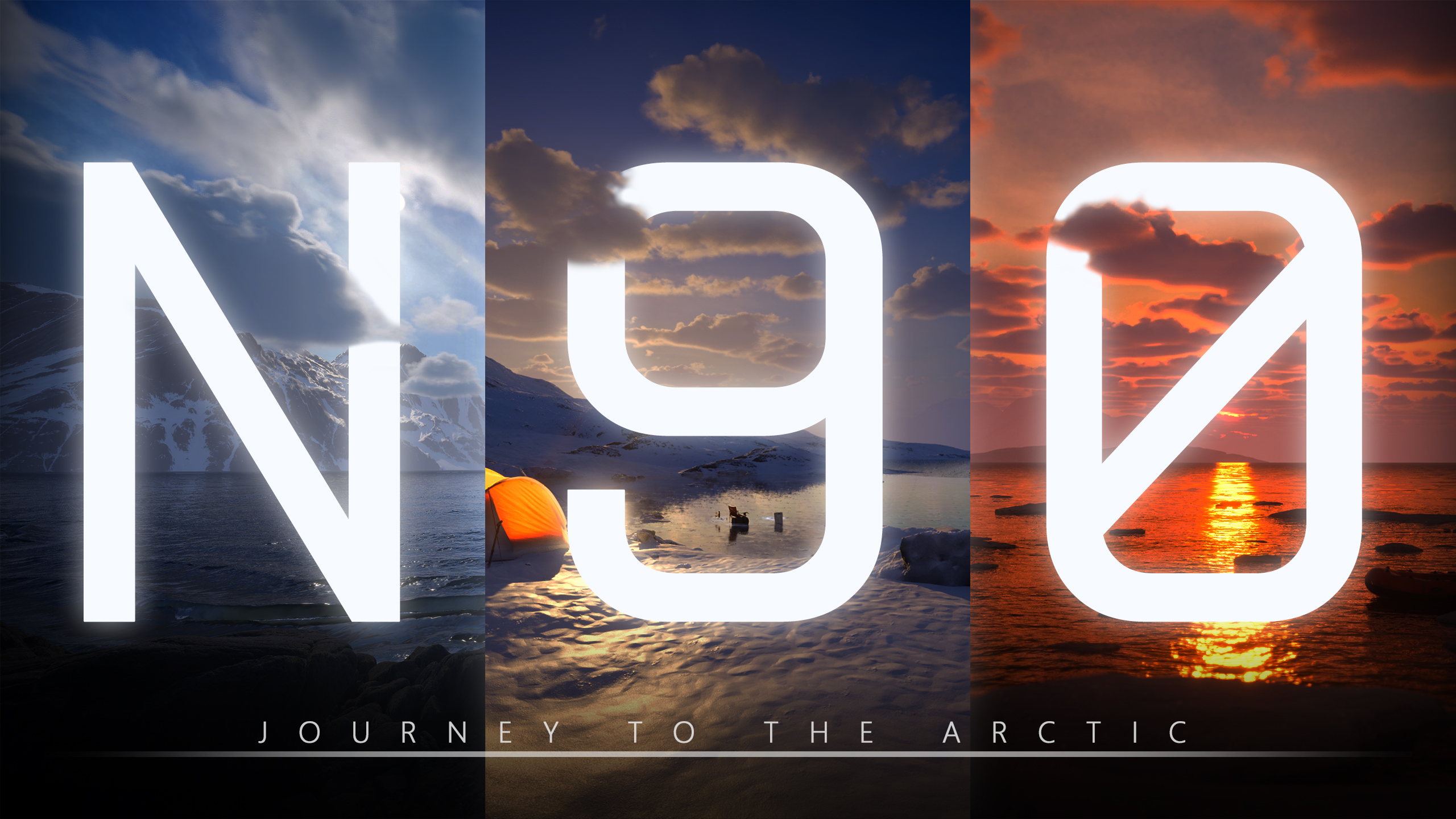
I. Overview & Galleries
Completion Time: June 2024 – July 2025
Project Type: Virtual Reality Computer Game (with an additional first person keyboard edition)
Role: Solo Developer (Design, Art, Programming, Technical Implementation)
Tools Used:
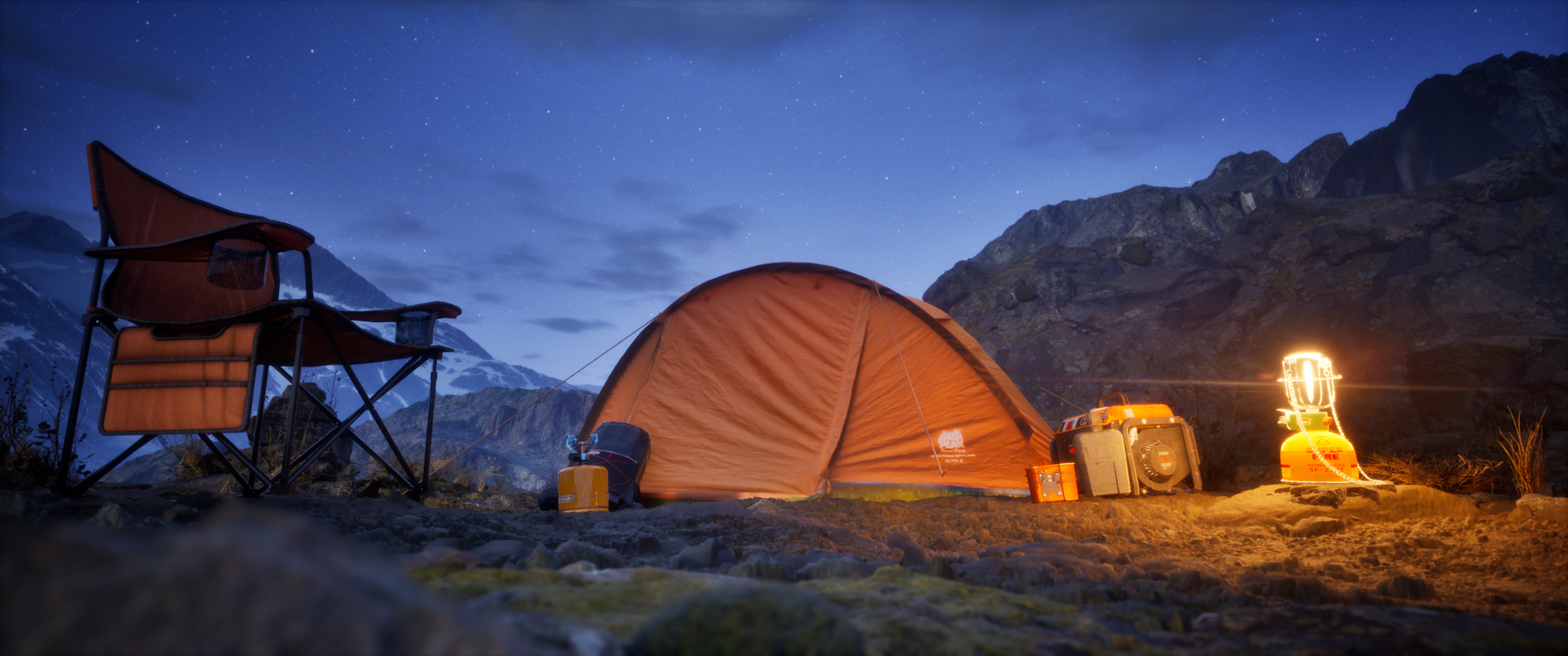
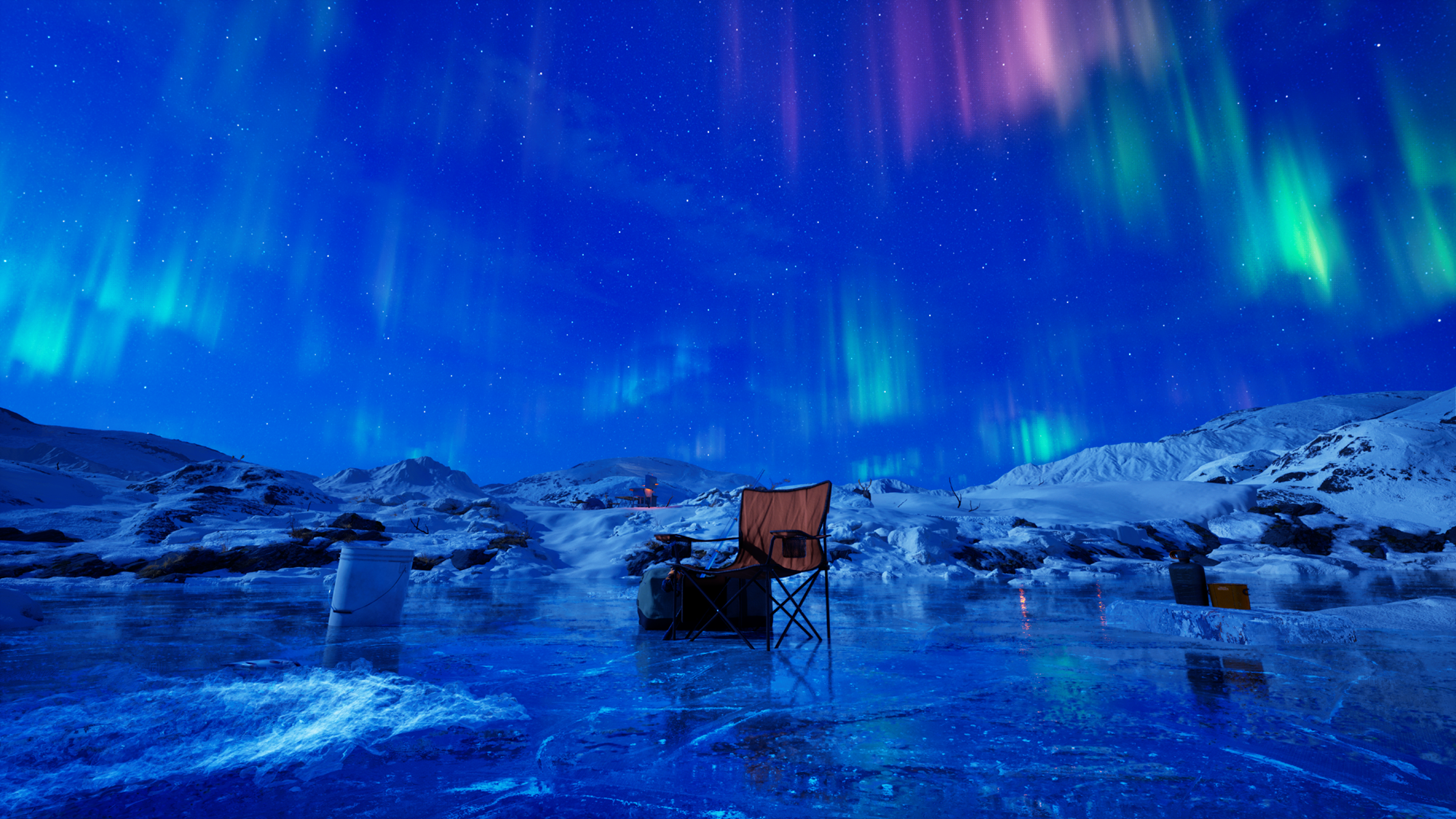
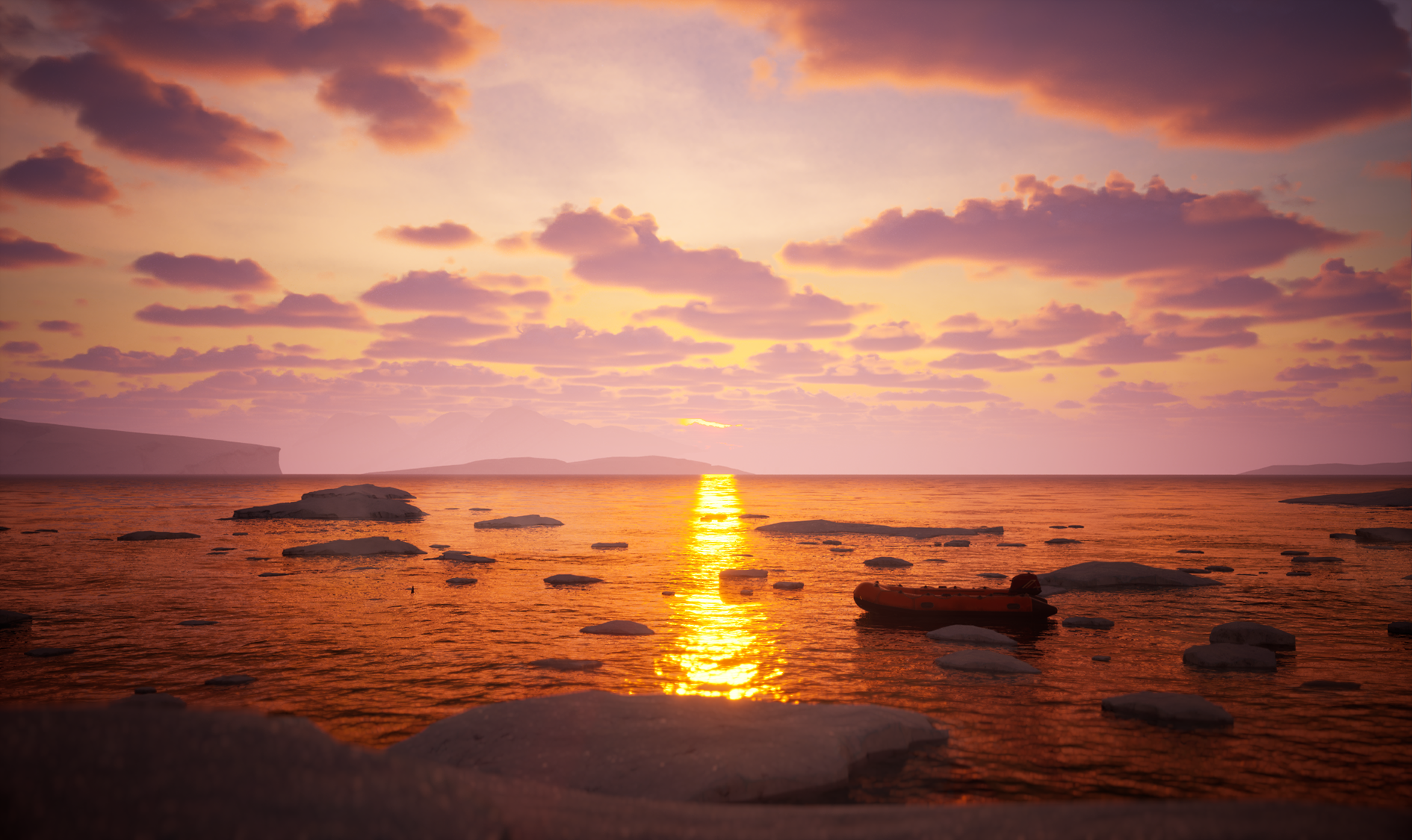
Software Usage Unreal Engine Core Development, Blueprint Logic, VR Interaction Maya Modeling and Rigging weapons for first person Substance Painter Texturing Weapons, and texturing special landscape textures Quixel Megascans Natural env assets and surface textures Photoshop & Illustrator Crafting VFX textures and UI elements XMind Concept collection Fooocus & CosyVoice Generating voices of narrator, and concept illustrations GeoGebra Debugging math algorithms for dynamic VFX shaders Cascadeur Animating first person animations (arms and interactions) Gaea Terrain sculpting and landscape heightmap generation Game Screenshots:
Note
More detailed screenshots and gameplay footage can be found on ArtStation.
II. Description
1. Background & Concept
90°N is designed as a healing‑oriented interactive experience, using the quiet vastness of the Arctic as a setting for emotional restoration. Through spacious environments, interesting interactions, the game offers players a calm refuge from the intensity of everyday life.
Goals & Themes
Emotional Expression Through Interactivity: Explore the unique potential of games to communicate feelings and perspectives through player.
Emotional Calm & Reflection: Use slow-paced, travel‑oriented gameplay to create a meditative experience that helps players decompress.
Stress Relief and Emotional Well‑Being: Provide a calming digital space that supports mental decompression.
Target Audience / Context
People seeking emotional relaxation: Looking for a calming digital space to unwind, reflect, and temporarily step away from the fast pace of daily life.
Casual players looking for accessible, non‑stressful gameplay: People who may not identify as “gamers” but enjoy intuitive, low‑pressure experiences that offer beauty, curiosity, and emotional comfort.
2. Research & Analysis
Ideation & Thought Development
The early concept development for 90°N began with a video exploring the emotional and ecological dimensions of polar travel. The ideation process focused on simulating the psychological healing of Arctic exploration while offering meaningful interaction.
Global Warming & Glacier Preservation: The concept emphasized the urgency of documenting preserving the glaciers, which are rapidly vanishing due to climate change.
Mental Healing & Emotional Resonance: The game’s slow pacing, aurora scenes, and quiet exploration were designed to evoke inner calm, joy, and reflection.
Narrative & Scene Prototypes
A tent camp serves as the player’s sanctuary, player could switching between day and night to reveal different emotional and visual states of the environment.
A nighttime polar journey across vast ice fields leads to a breathtaking aurora event.
A helpless polar bear drifting on a shrinking ice floe, quietly illustrating the consequences of global warming.
3. Key Design & Production Process
The production pipeline for 90°N followed a clear workflow that combined environment creation, interaction design, VR systems, and visual effects. Each stage used specialized tools to keep the process efficient and easy to iterate.
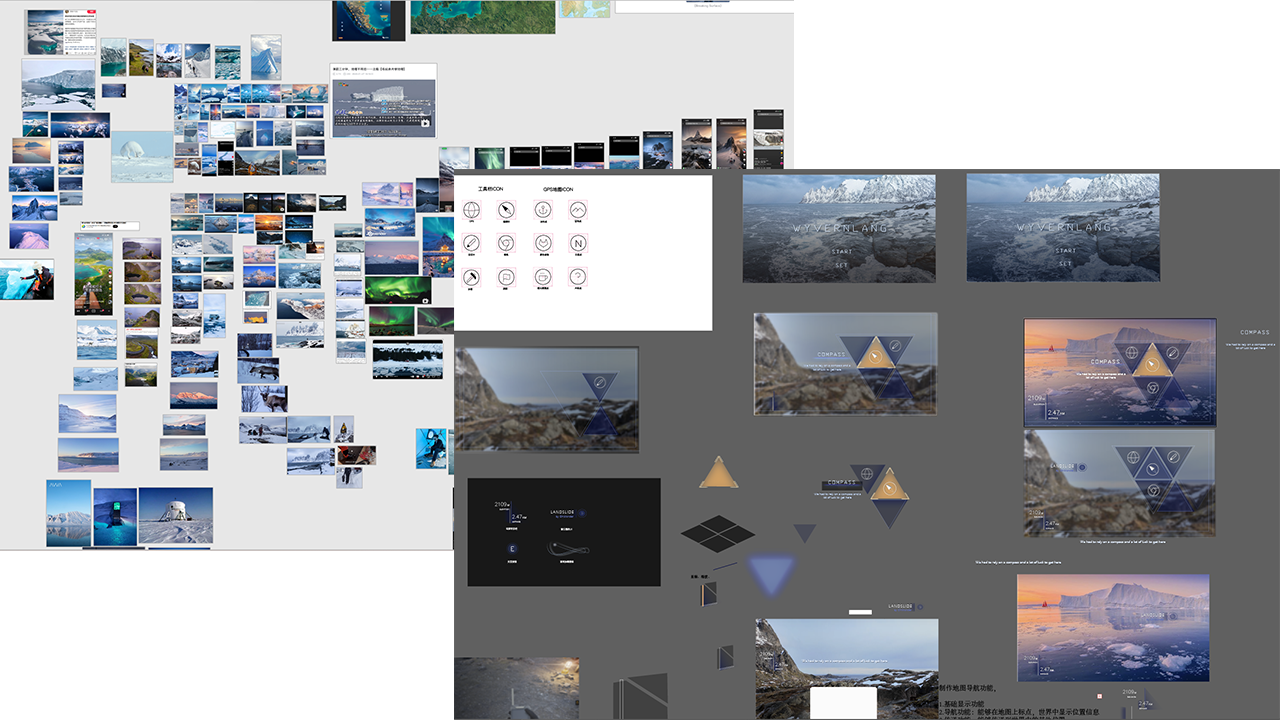
Early UI & Level Planning
To establish the structure of user experience, I first created a set of UI sketches and layout references using Illustrator. These early drafts helped define navigation flow, interaction points, and the emotional pacing of each scene.
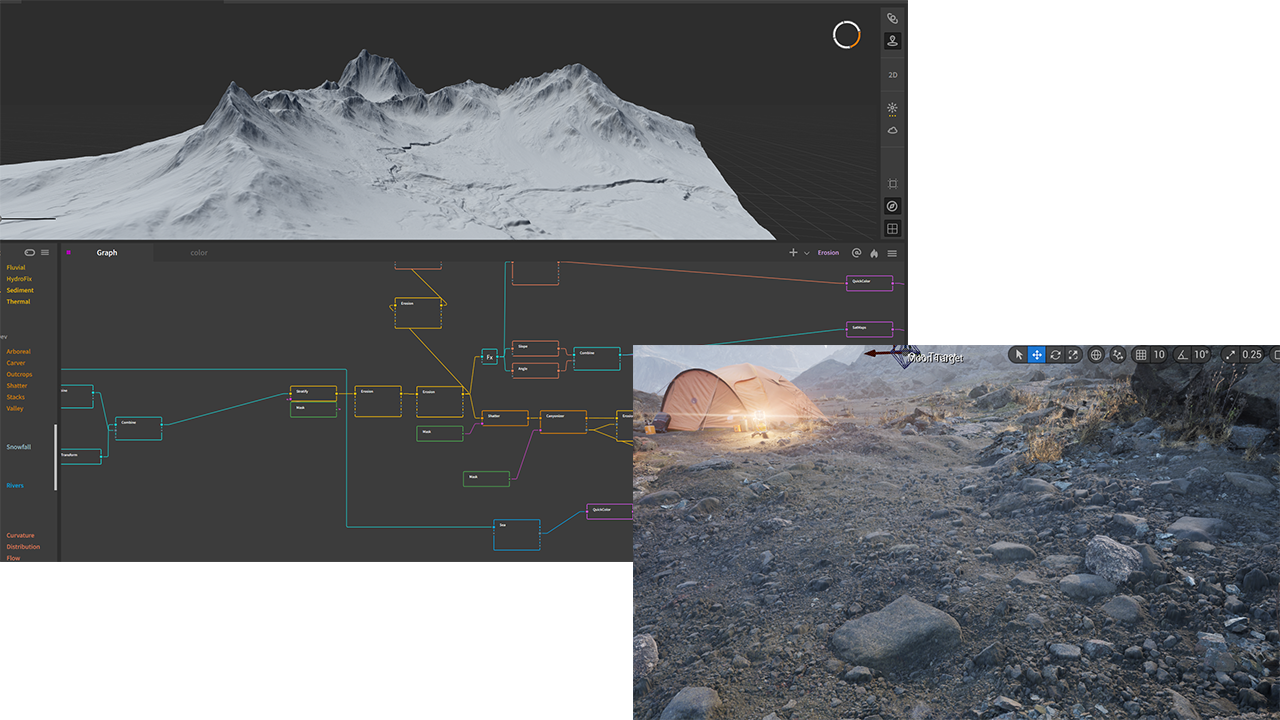
Landscape Creation with Gaea & Unreal Engine
The Arctic terrain was built using Gaea, where I sculpted the base landscape, snow ridges, and glacier formations. The heightmaps were then exported into Unreal Engine for further refinement. Inside Unreal, I used Nanite Displacement, Layer Blending, and procedural generation technology to achieve natural surface variation.
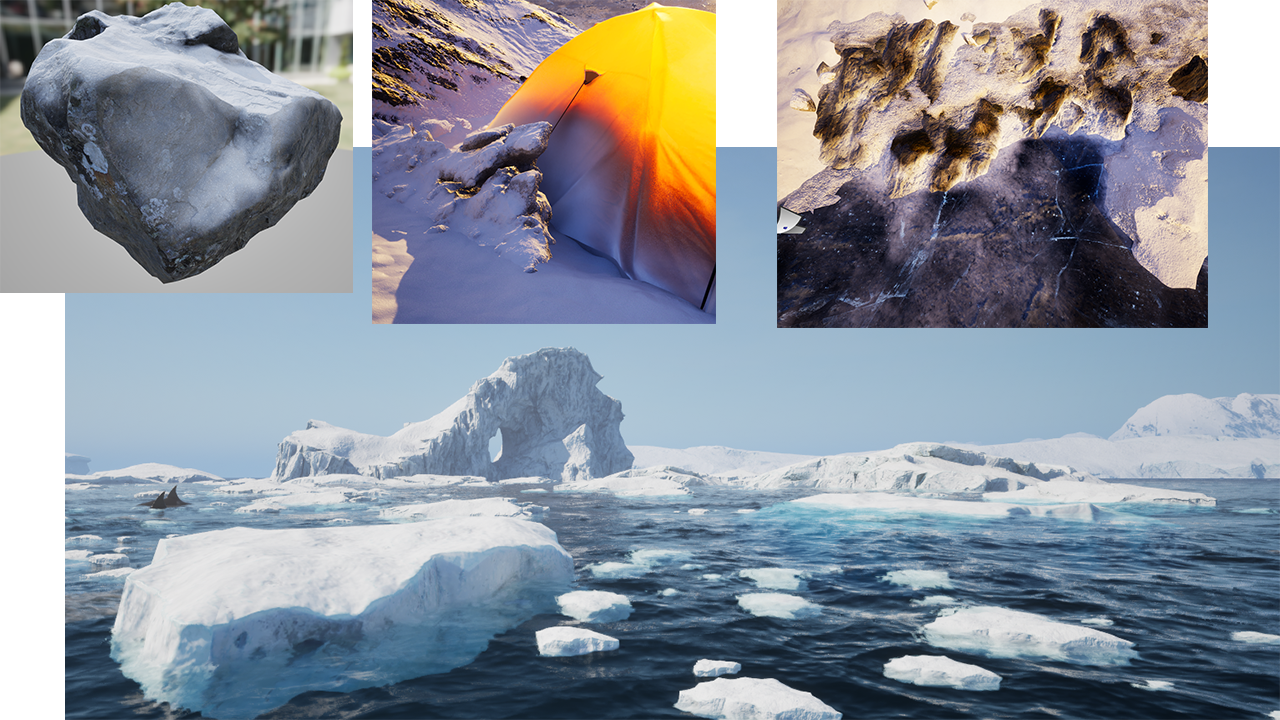
Environment Assembly & Visual Atmosphere
Using Megascans assets, I populated the world with rocks, ice surfaces, and natural debris using PGC workflow. Material shaders were customized to simulate snow covering and blending, subsurface scattering on floating glaciers, anti-tiling.
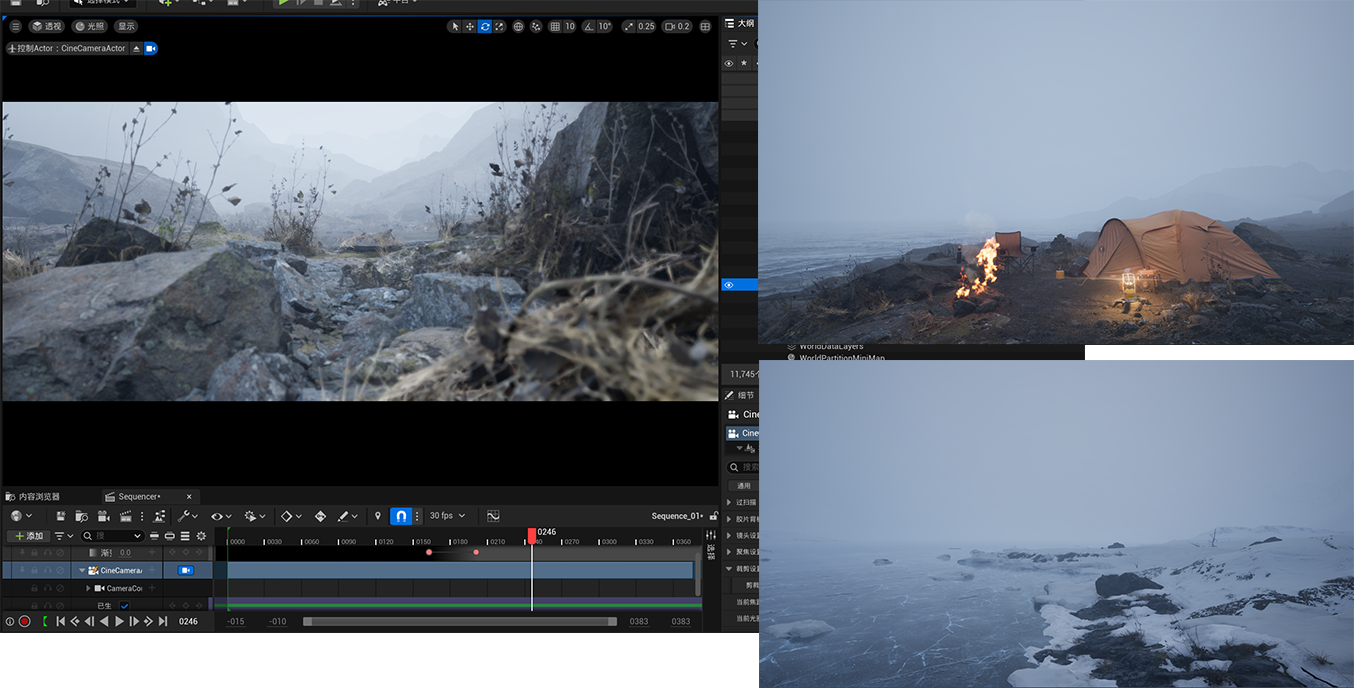
And an early playable build was created to test scale, lighting, and traversal.
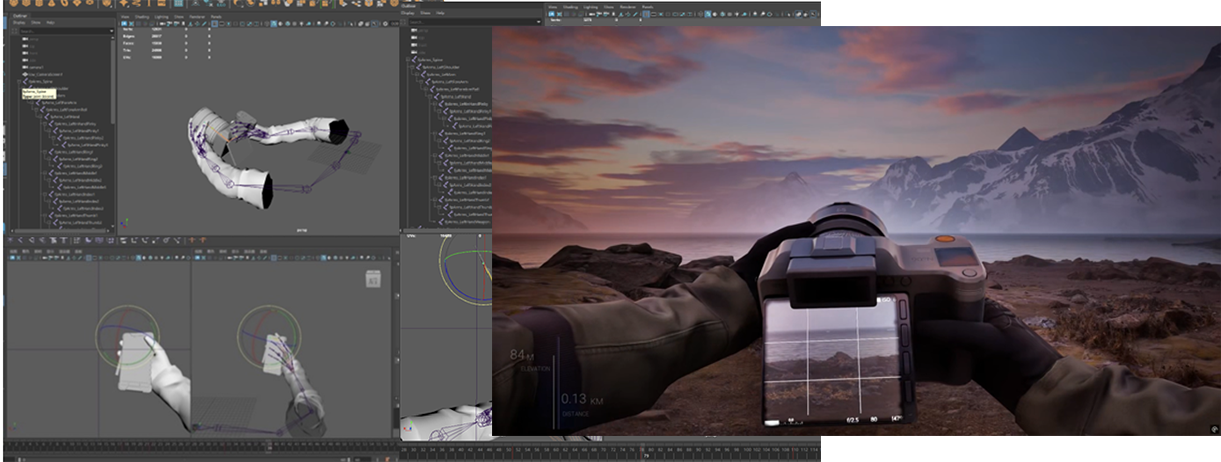
FPV Animation & Rigging
All first person models and animations — such as camera with equipping animation, were created in Maya, and textured in Substance Painter. And using the model without arms for VR gameplay.
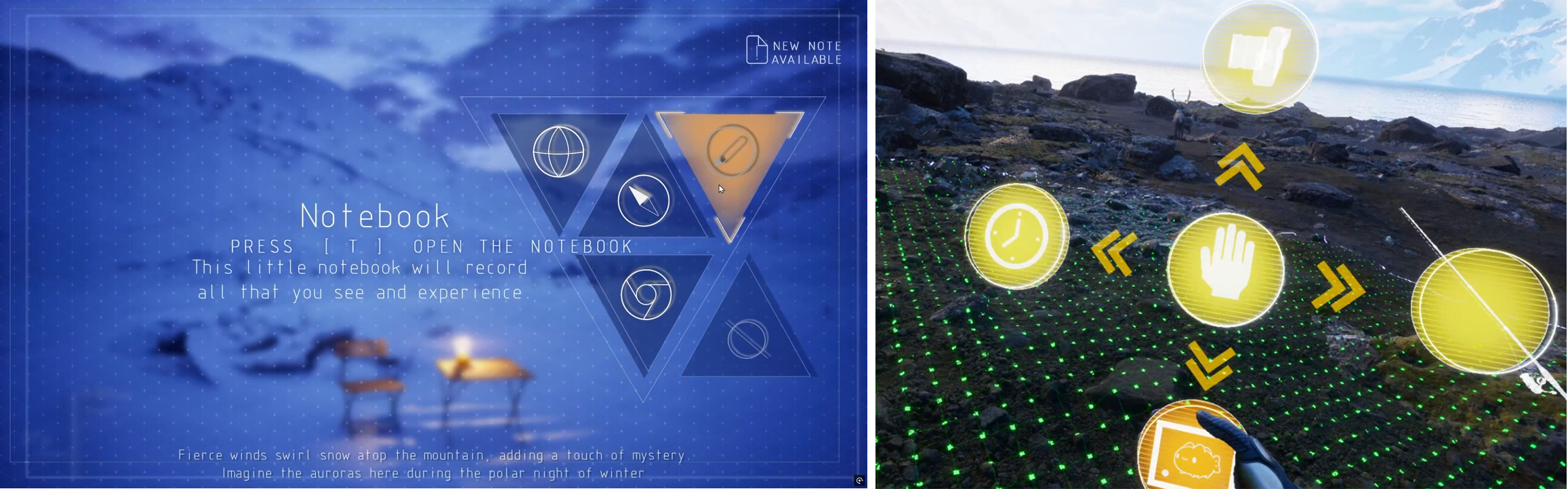
Interaction Systems & Inventory Design
A custom inventory system was developed for both the keyboard version and the VR version. The VR inventory opens with a scanning‑dot VFX inspired by the game Death Stranding.
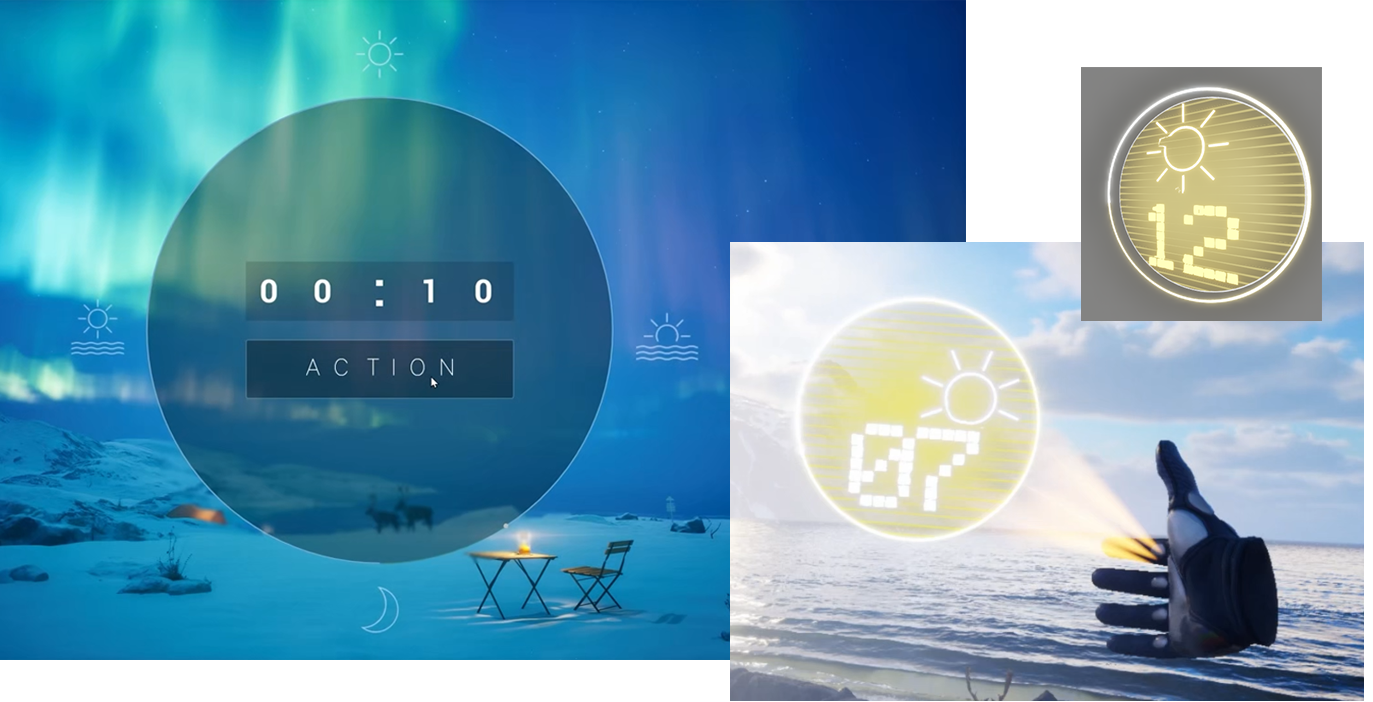
Timelapse Tools
A VR time‑manipulation tool was created to let players switch between day and night. This system uses particle‑based holographic elements with a little electronic disturbing visual effect, showing the sun, moon, and hour markers . For keyboard experience, replace it with a modern appearance clock, player can drag the circular progress bar and set the duration of time passing.
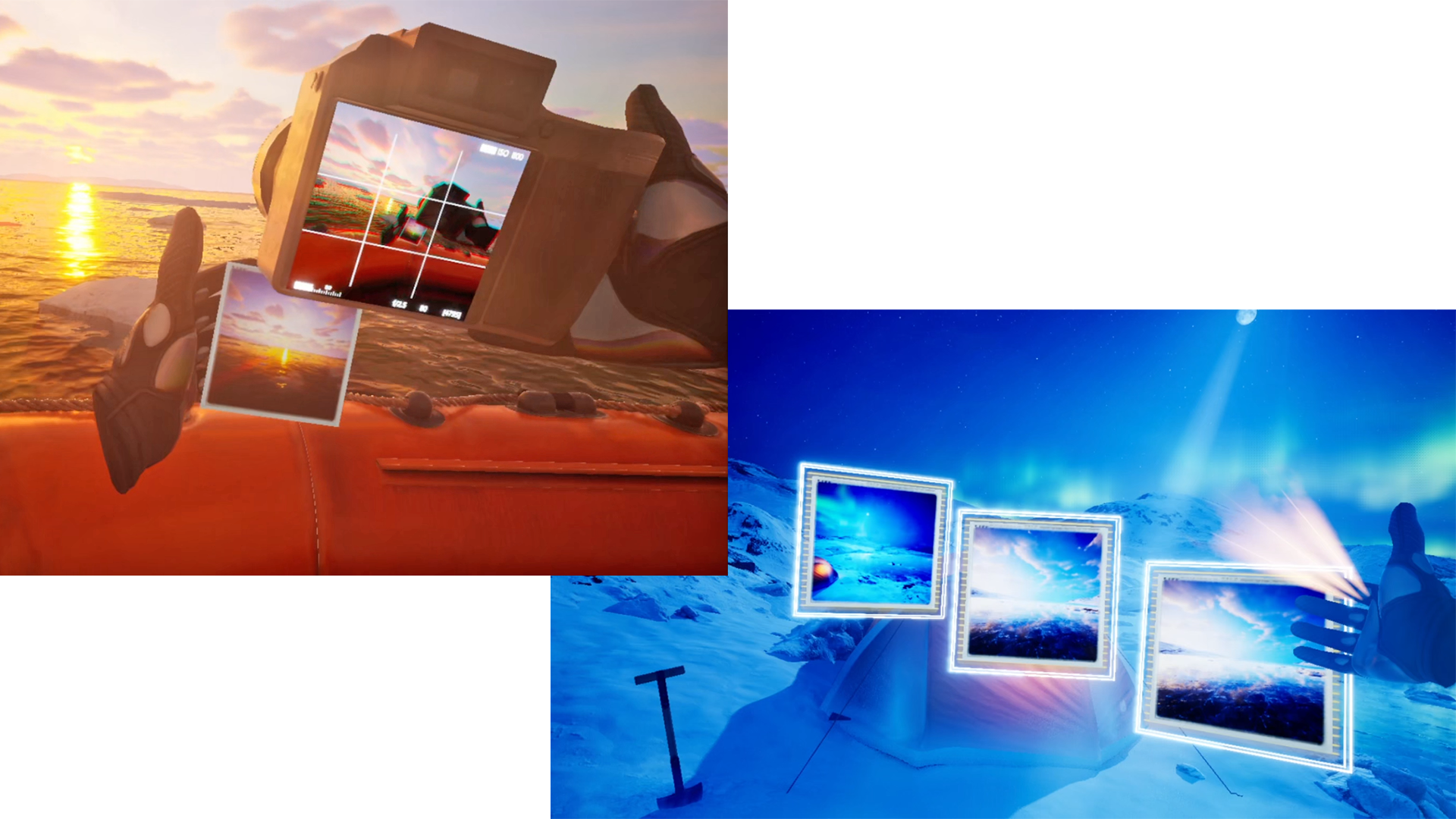
VR Gallery & Memory System
Players can capture photos during exploration. These photos appear as floating holographic squares inside a VR gallery space, allowing players to revisit their journey. The photos taken by the player will be save to the local disk, so the gallery wont forget player's experience.
Special Interaction: World‑Traveling Orb
A unique VR gameplay allows players to grab a glowing “world sphere” similar to a divination orb. VR player could dive in to the world by taking closer to the ball. The faster the player swings the ball, the flatter it will become, which is based on vertex offset shader.

4. Final Outcome
High-Fidelity Results
Project Online Portfolio: ArtStation (including videos below)
Project Online Video:
Note
You can visit all my projects here: ArtStation Profile.
Steel Defender - A Multi-Platform Multiplayer Game
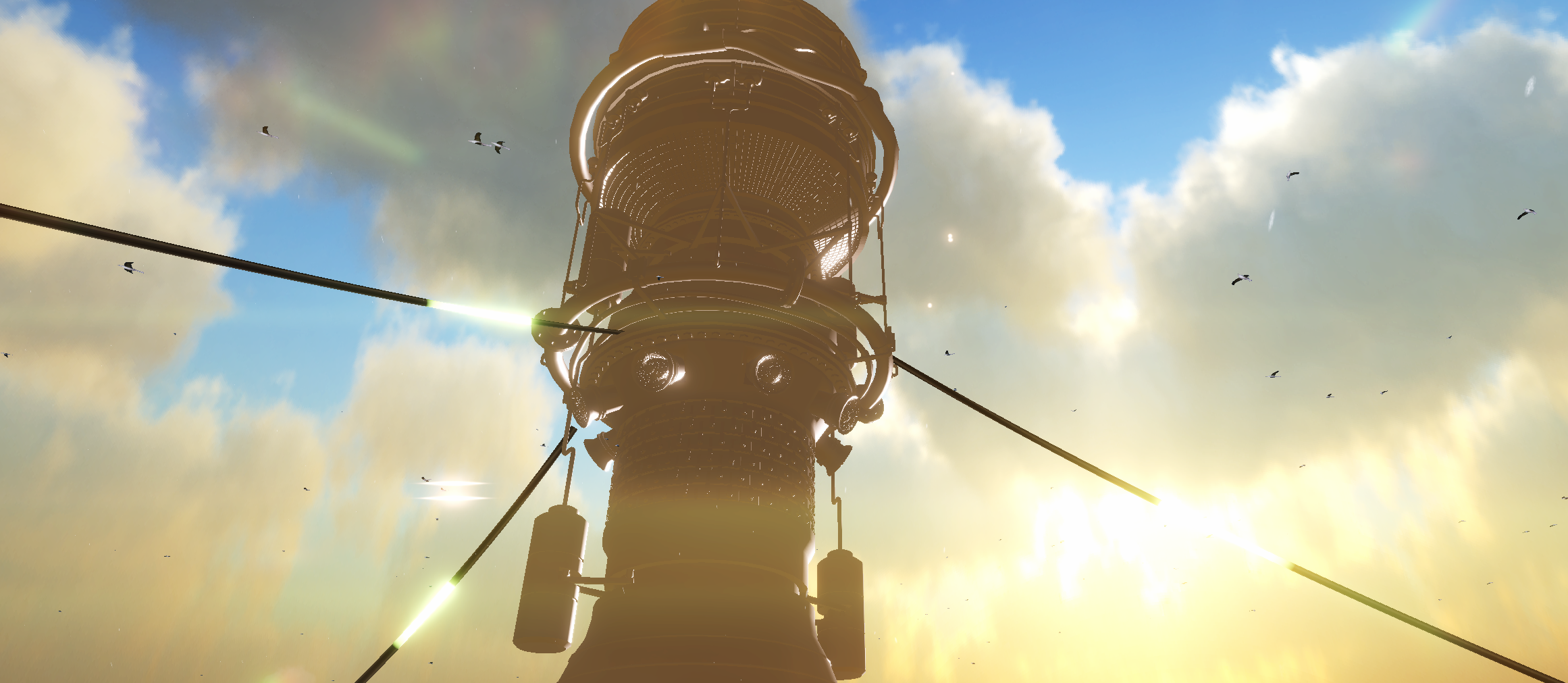
I. Overview & Galleries
Completion Time: December 2024 – May 2025
Role: Solo Developer (Design, Art, Programming, Technical Implementation)
Tools Used:
Software Usage Unity Engine Core Development, VR Interaction Maya Modeling and Rigging weapons Jetbarins Rider Writing C# Scripts Substance Painter Texturing Weapons, and texturing special landscape textures Quixel Megascans Natural env assets and surface textures Photoshop & Illustrator Crafting VFX textures CosyVoice Generating voices of narrator GeoGebra Debugging math algorithms for dynamic VFX shaders Gaea Terrain sculpting and landscape heightmap generation Note
CosyVoice are open‑source AIGC software tool.
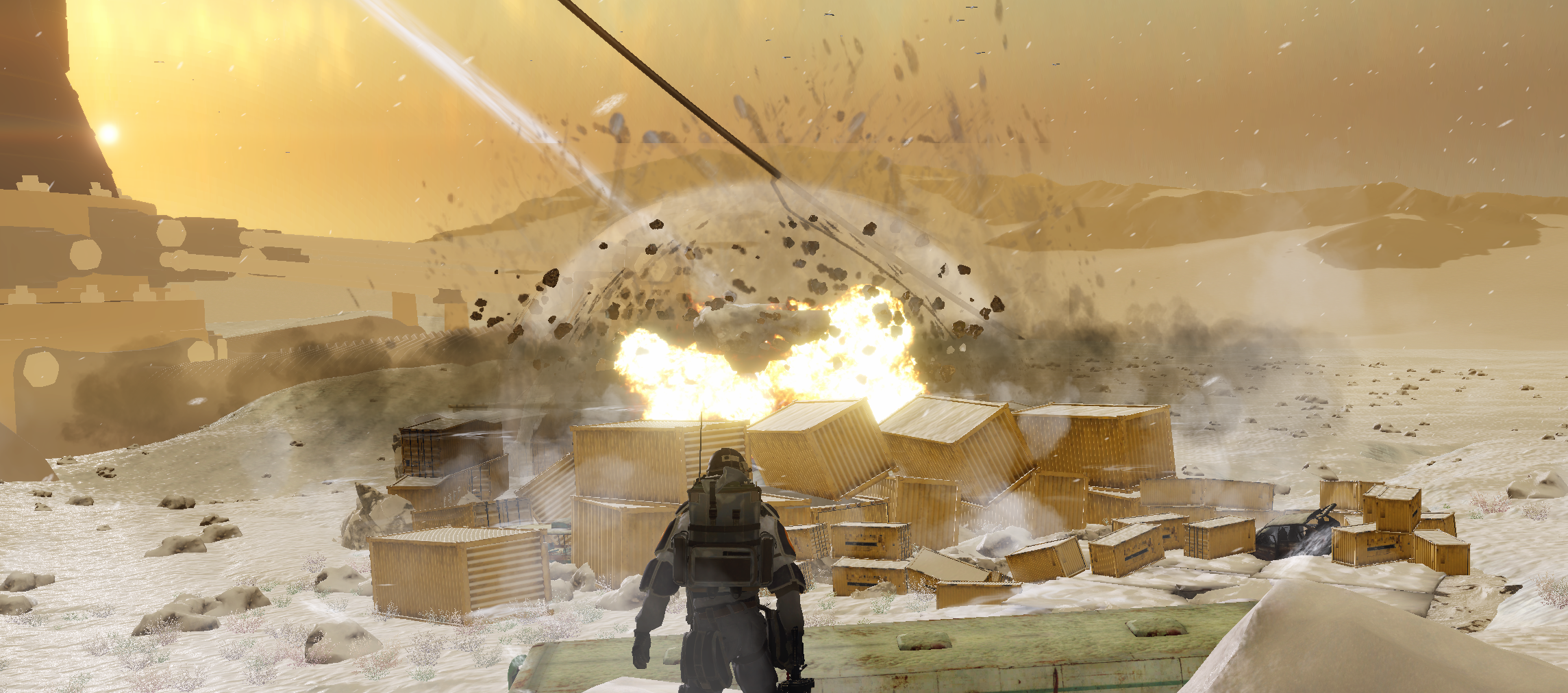
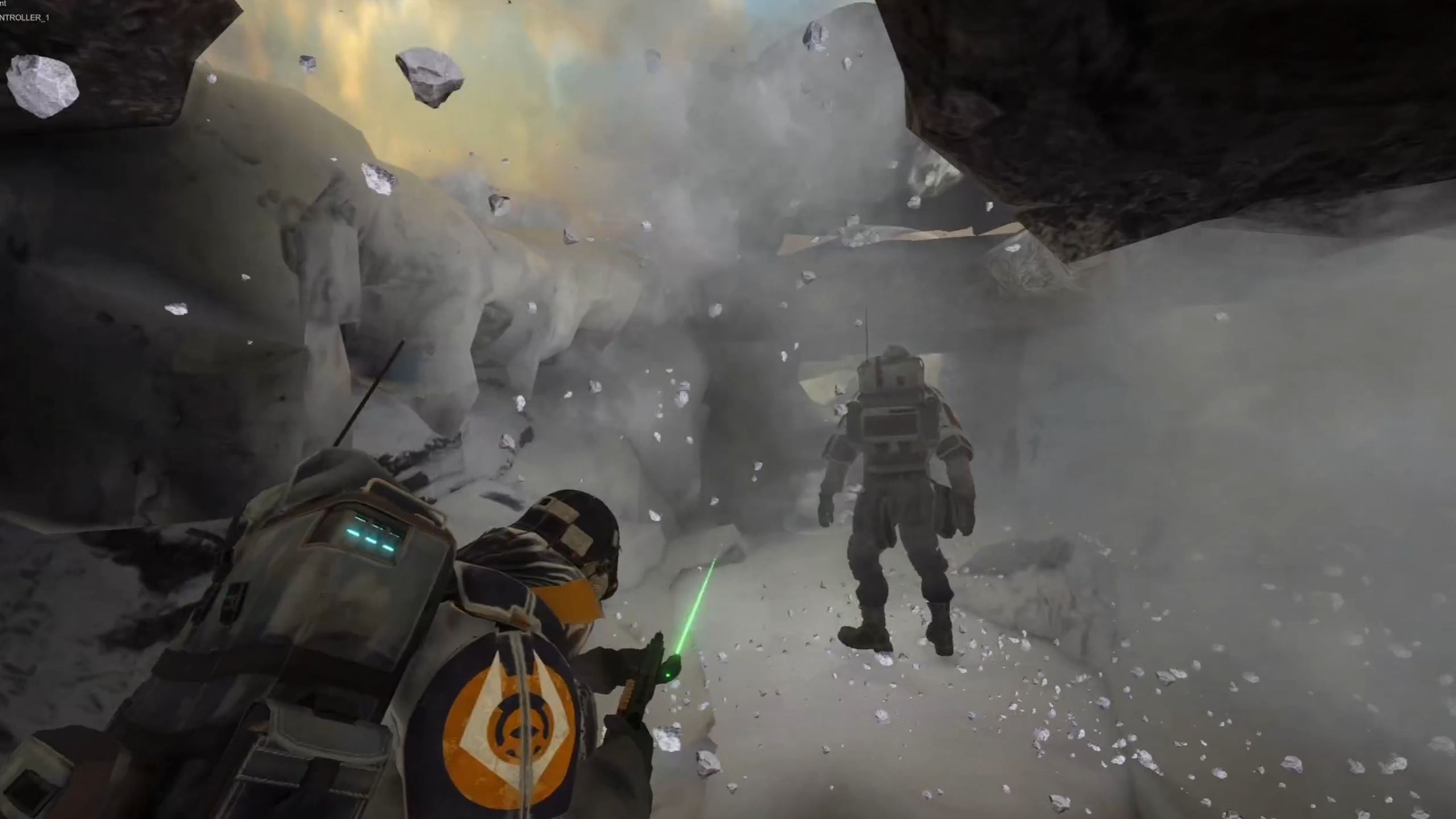
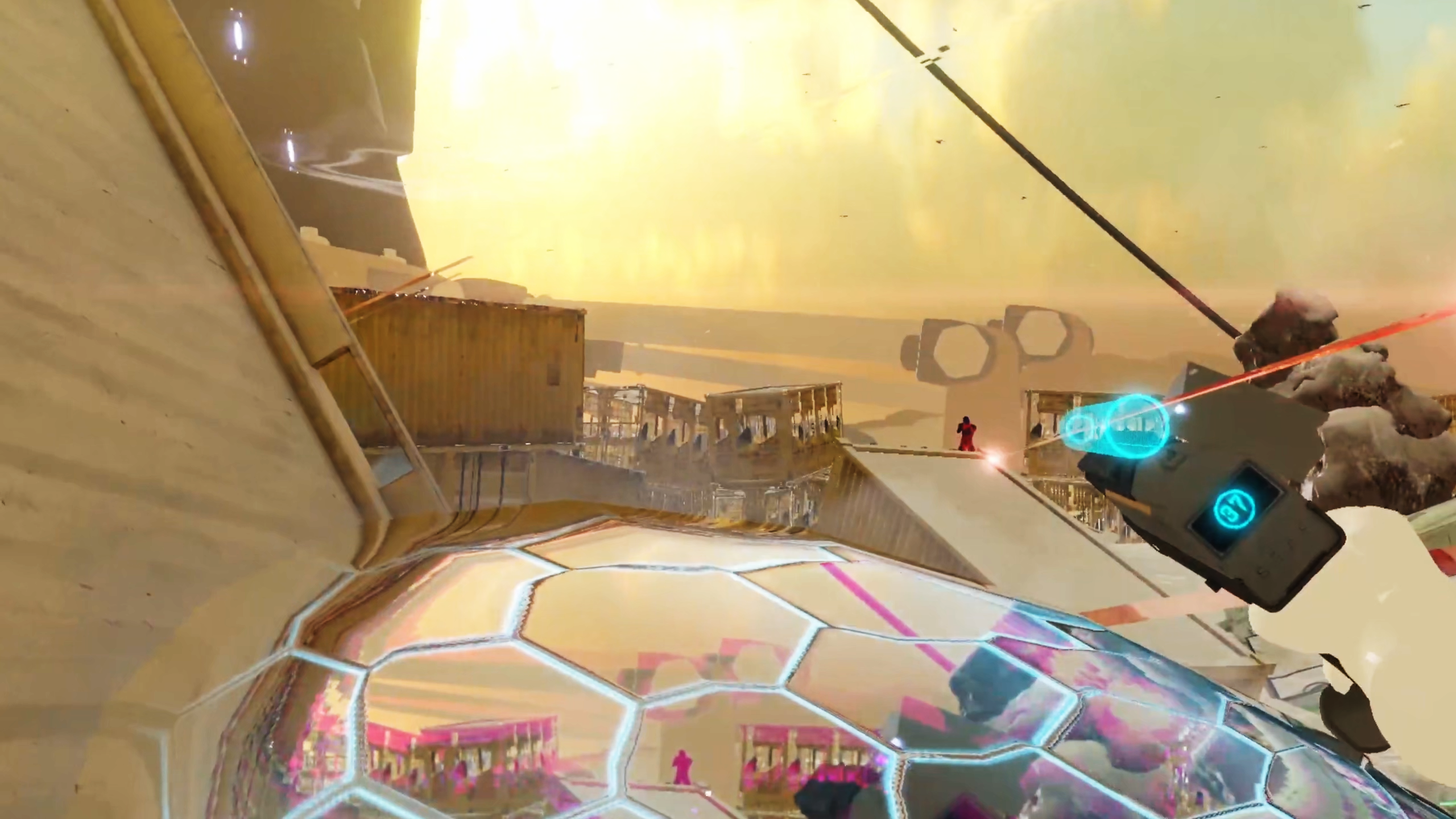
Game Screenshots:
Note
More detailed screenshots and gameplay footage can be found on ArtStation.
II. Description
1. Background & Concept
Steel Defender is a cross‑platform multiplayer shooter game. VR players and keyboard‑mouse players can play together in the same world while taking on different roles. The game features both a first‑person mode and a VR mode, and its detailed environments create a strong sense of visual impact.
Goals & Themes
Explore Cross‑Platform Gameplay Design: Define clear gameplay roles and interactions for both VR players and keyboard‑mouse players.
Create High‑Quality Visual and Interactive Systems: Use Shader Graph to build convincing visual effects and apply the XR Interaction Toolkit to design rich, responsive weapon interactions.
Completely Gameplay Flow: A thrilling and fast‑paced gameplay experience with engaging cutscenes that enrich the overall gameplay experience.
2. Research & Analysis
Ideation & Thought Development
The early concept development for this project began with observing how players increasingly move between different devices in their daily lives. This inspired the idea of creating a shared game world where PC, mobile, console, and VR players can interact smoothly and enjoy the same experience.
Representative Cross‑Platform Game: Games like Phasmophobia demonstrated how interesting interactions and multi‑platform connectivity can bring players together across PC and VR.
Rich VR Interaction: VR adds natural hand interactions and immersive weapon handling, giving VR players unique ways to engage while staying connected with others.
3. Key Design & Production Process
The production workflow for this project followed a structured pipeline that combined VR interaction design, multiplayer networking, environment creation, visual effects, and asset production.
VR Interaction & Multiplayer Framework
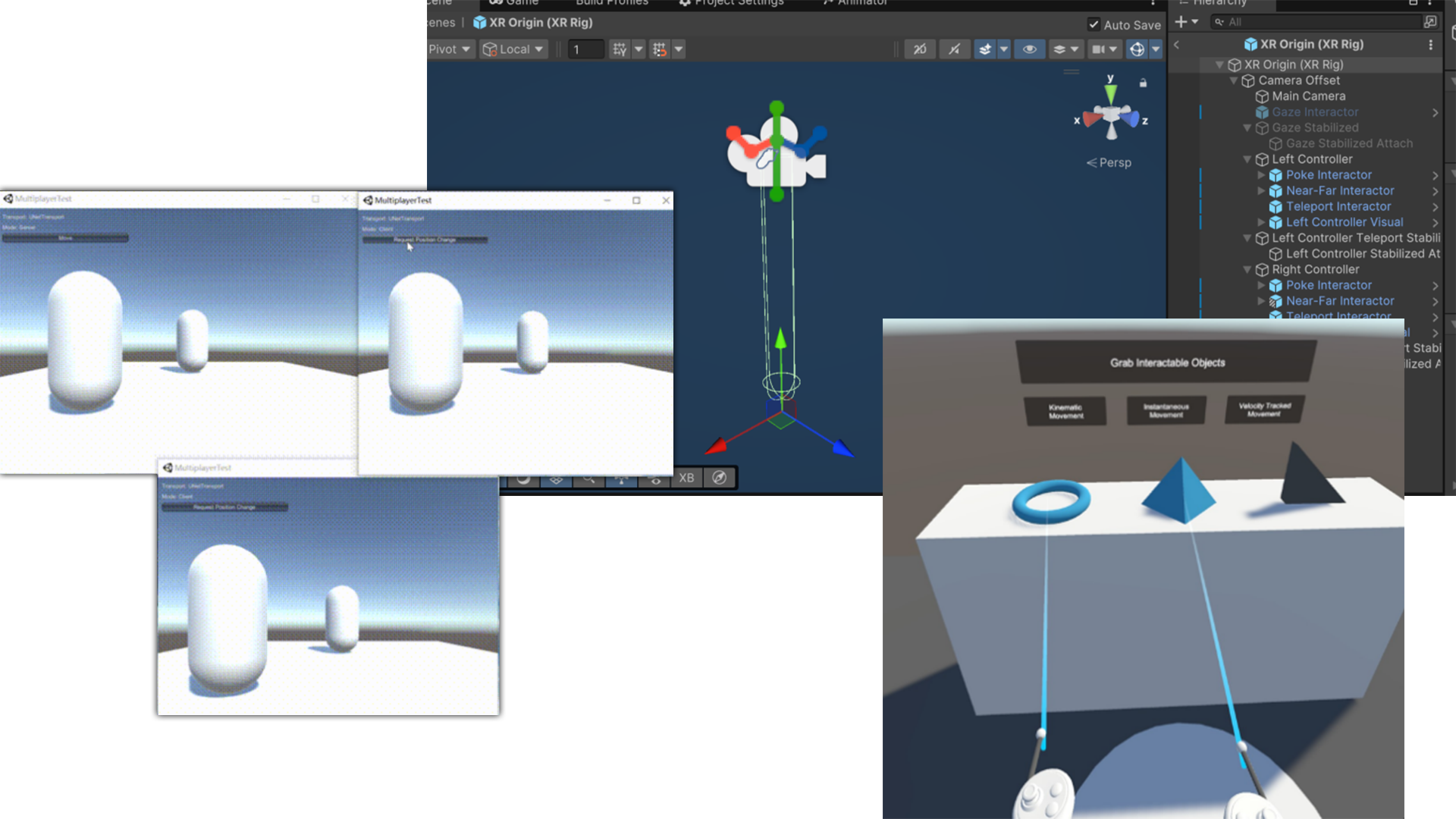
The early prototype focused on building a multiplayer framework that supports both VR players and keyboard‑mouse players in the same session. This stage ensures that VR’s physical interactions and traditional keyboard controls could coexist smoothly.
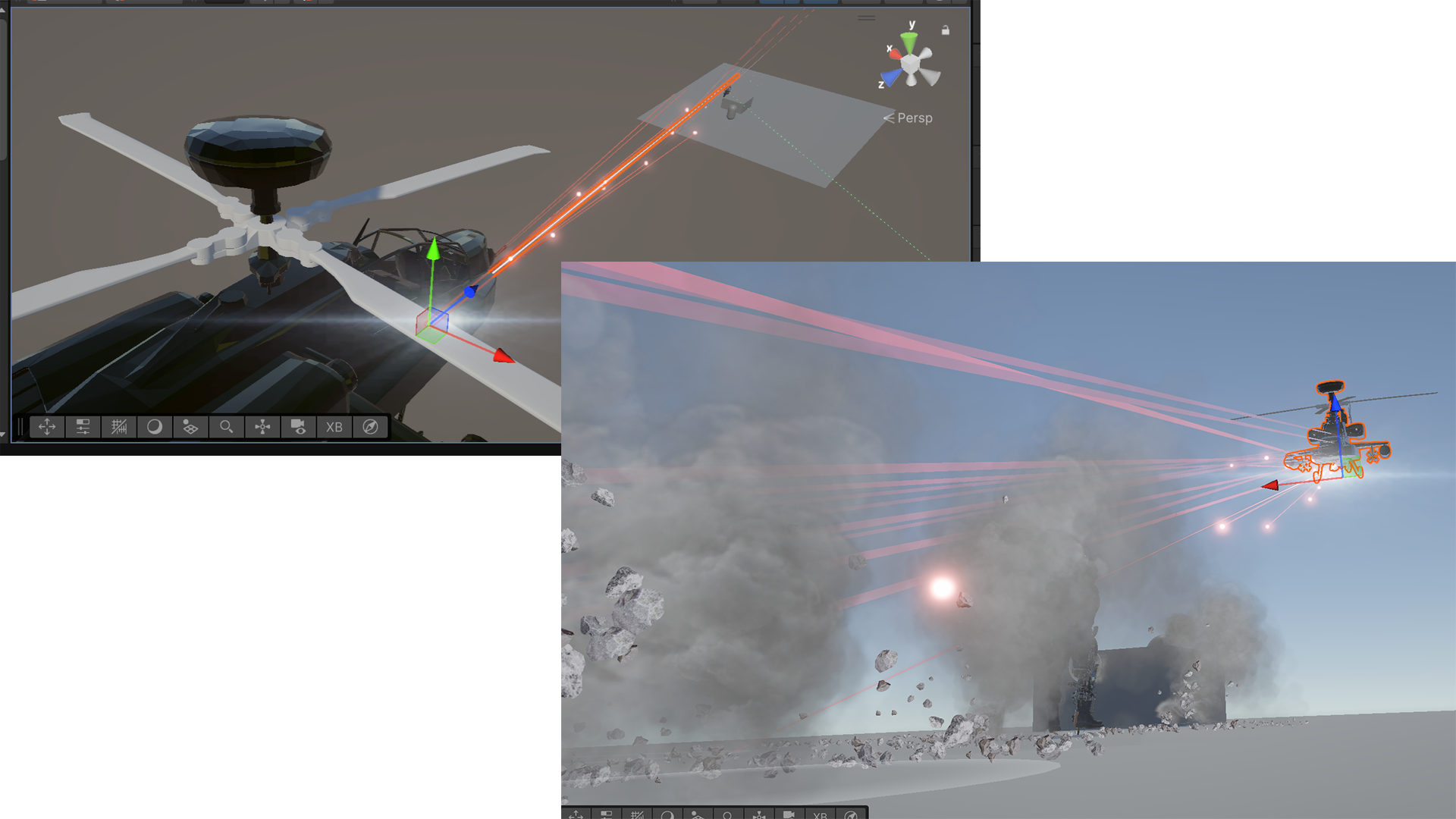
Floating Enemy AI Prototype
A helicopter enemy was created, and test floating AI behavior. Its vertical motion used a sine‑based height jitter, allowing the prototype to simulate hovering, strafing, and attacking block targets.
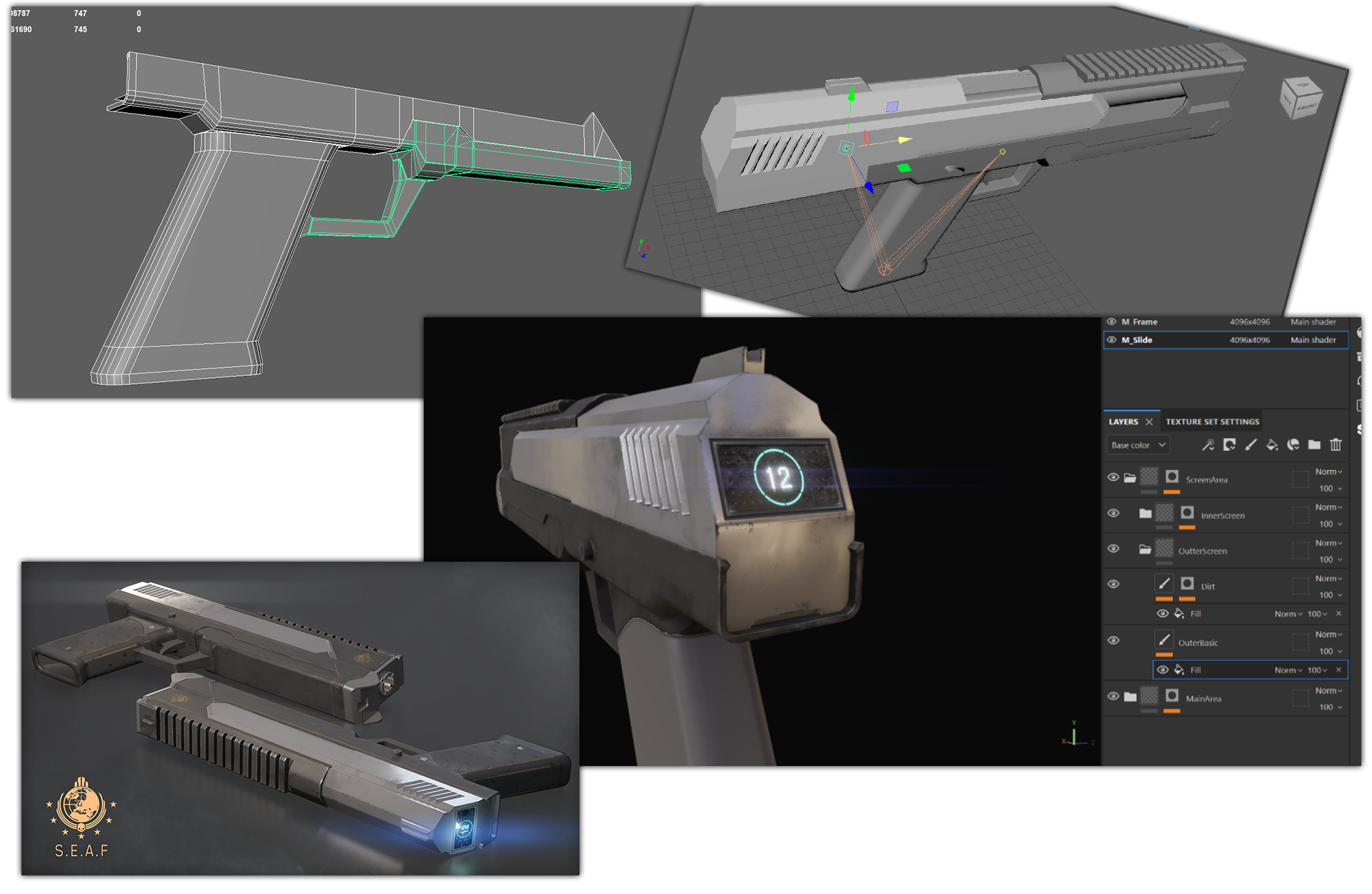
Pistol Asset Creation
The VR pistol was modeled in Maya, textured in Substance Painter, and then rigged for animation. Inspired by P102 in the game HELLDIVERS2.
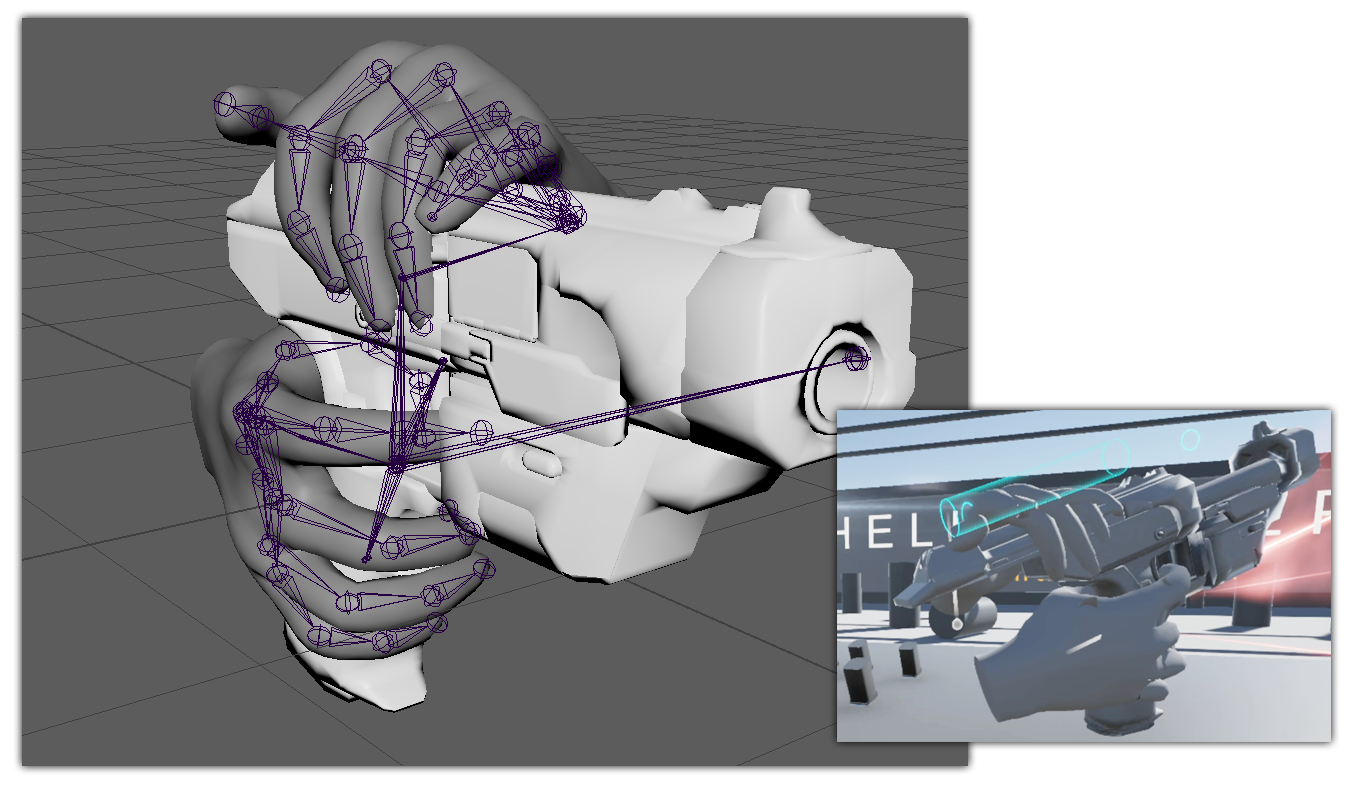
By separating the hand from the weapon and letting both share the same hand skeleton, the workflow becomes clearer, more modular, and easier to extend to other weapons, or just animate the hand gesture.
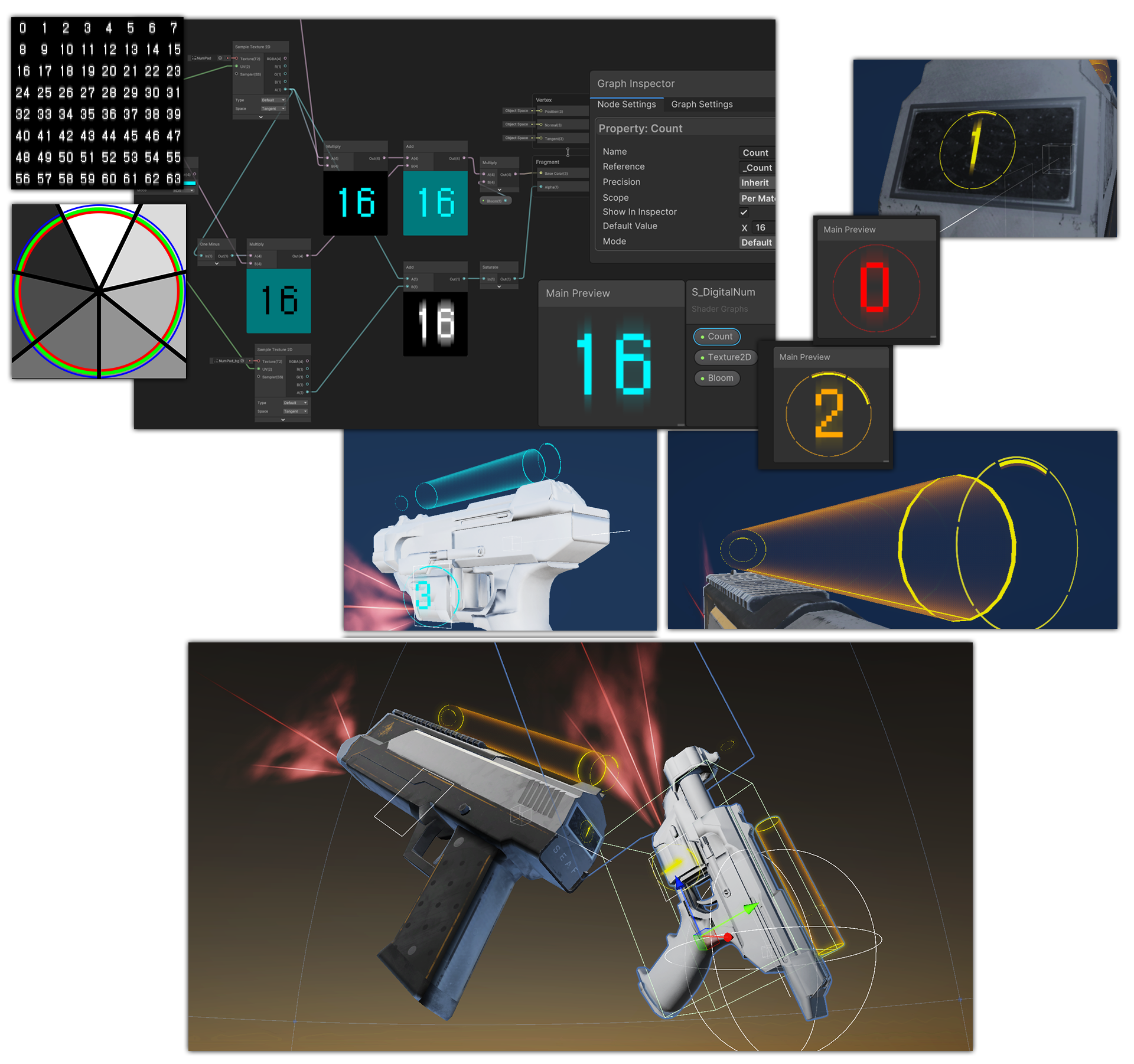
Ammo Indicator VFX & Hologram Visual Effect
Inspired by Half‑Life: Alyx, a holographic ammo indicator was designed in Photoshop, implemented in Unity, giving the VR pistol a more futuristic VR‑friendly interaction cue.
Level Design Prototyping
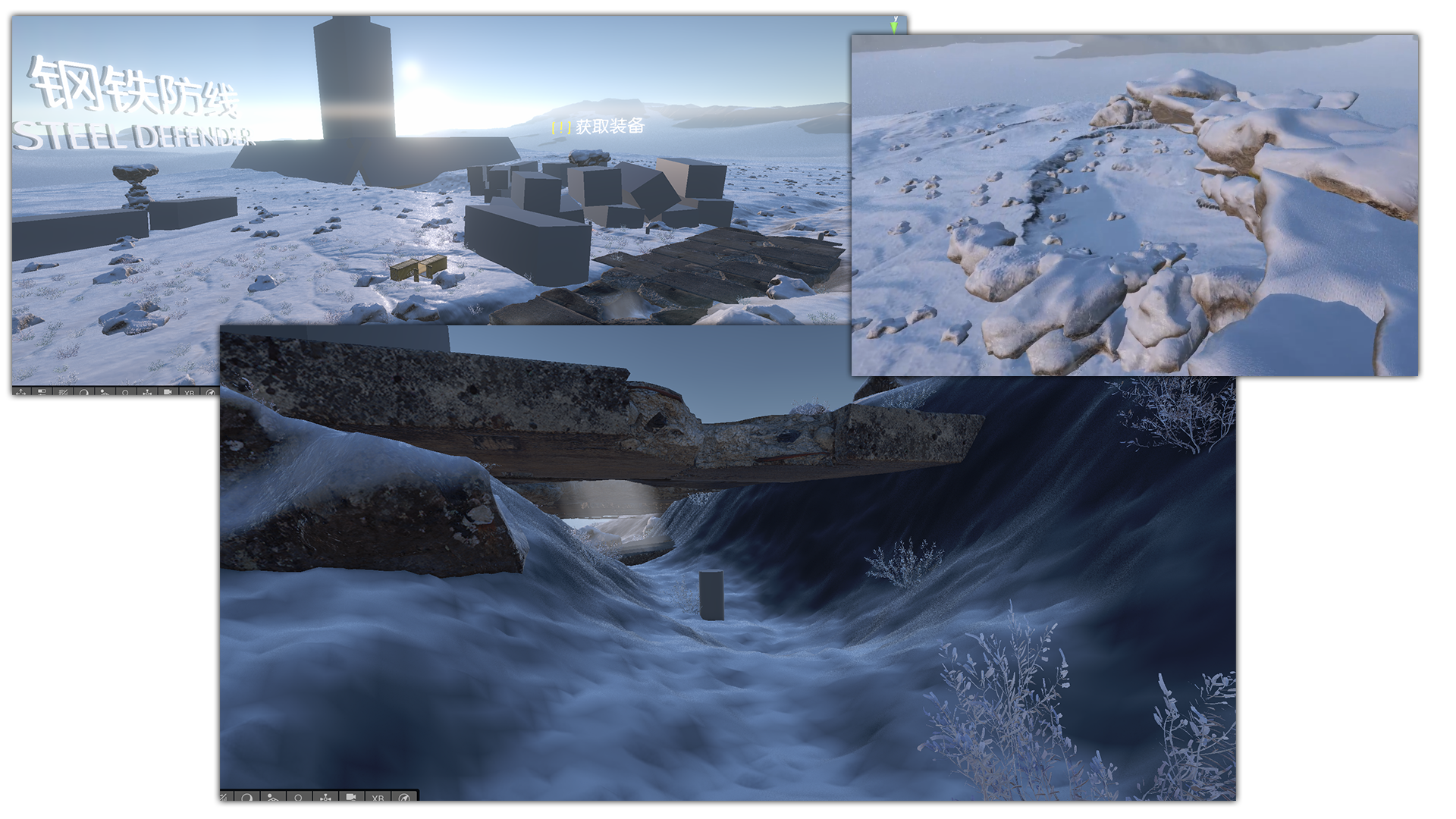
The level prototype explored how the helicopter enemy could guide the player through the environment. Megascans assets were used for quick iteration, and a single stone model was varied through Shader Graph to maintain performance while preserving visual diversity.
Environmental Shaders & Atmosphere
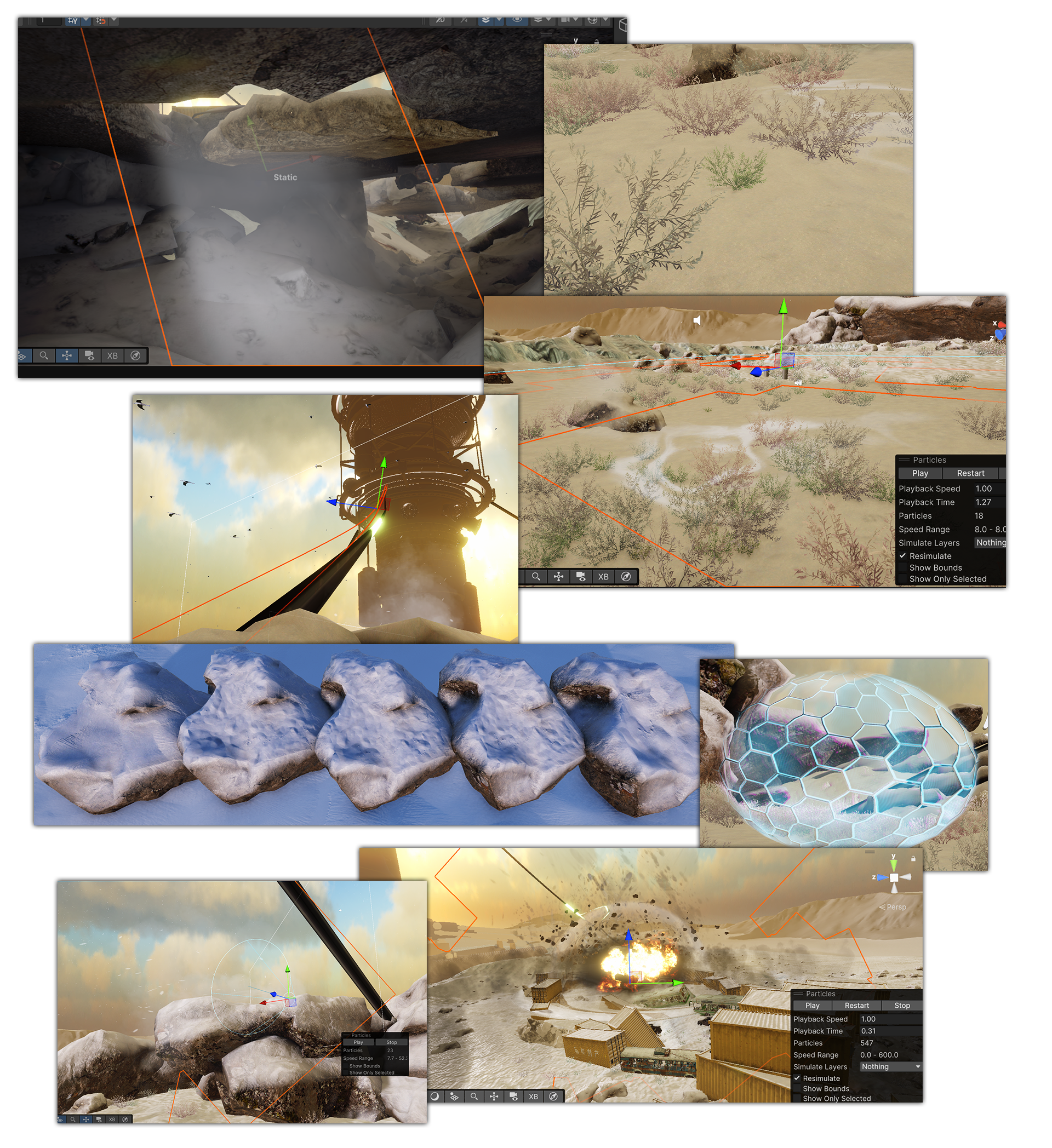
Several custom shaders were developed to enhance environmental realism: snow covering, lightweight volumetric fog using intersecting planes, procedural grass variation where color and size were sampled from world position to create natural randomness, and etc.
Landscape Creation with Gaea
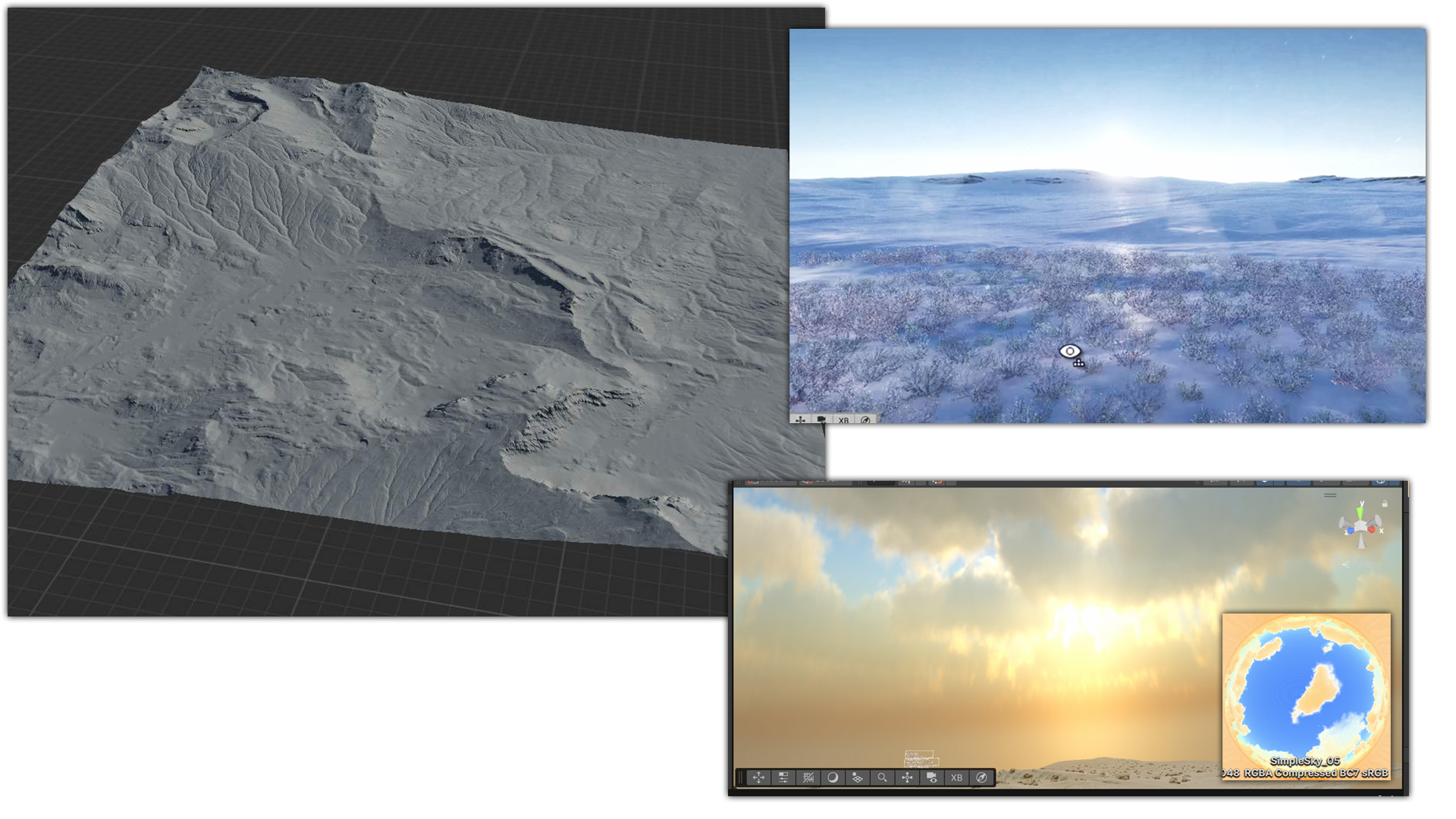
The terrain was generated in Gaea, using erosion nodes and height‑based masks to sculpt a natural landscape. The skybox is rendered using a MatCap‑based approach, allowing it to produce a striking visual effect that enhances the overall atmosphere.
4. Final Outcome
High-Fidelity Results
Online Portfolio: ArtStation (including videos below)
Online Video: YouTube
Note
You can visit all my projects here: ArtStation Profile.
Digital Teacher Xiao E
I. Overview & Galleries
Completion Time: February 2024 – April 2025
Role: Solo Developer (Design, Art, Programming, Technical Implementation)
Tools Used:
Software Usage Unreal Engine Core Development Maya Modelling, Rigging, Animating Jetbarins Rider Writing C++ Plugins Marvelous Designer Designing clothes Houdini Crafting Grooms Photoshop & Fooocus Crafting backgrounds, balance compositions, clean up photos Reality Capture 3D Scanning human face MetaHuman Creator Creating human model and offering expression technology Audio2Face Generating runtime facial expressions for MetaHuman Anything LLM Offering enhanced functions for LLM service, such as RAG database Qwen GPT 1.5B Offering local LLM service ChatGPT Offering online LLM service Sherpa-NCNN Offering speech-to-text service edge-tts Offering text-to-speech service Note
Fooocus(AIGC), Sherpa-NCNN, edge-tts are open‑source software tool.
Screenshots:
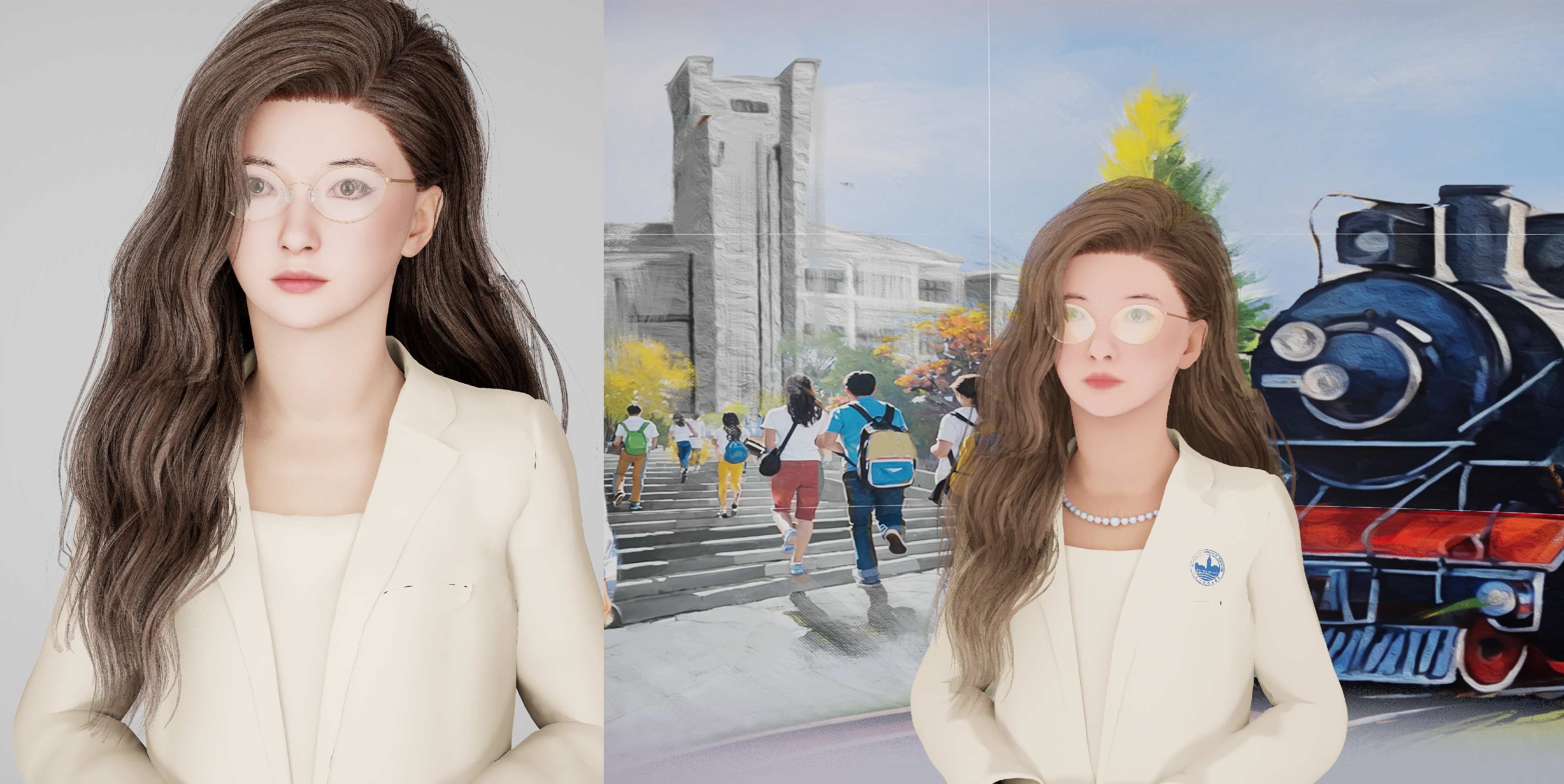
Note
More detailed screenshots and footage can be found on ArtStation.
II. Description
1. Background & Concept
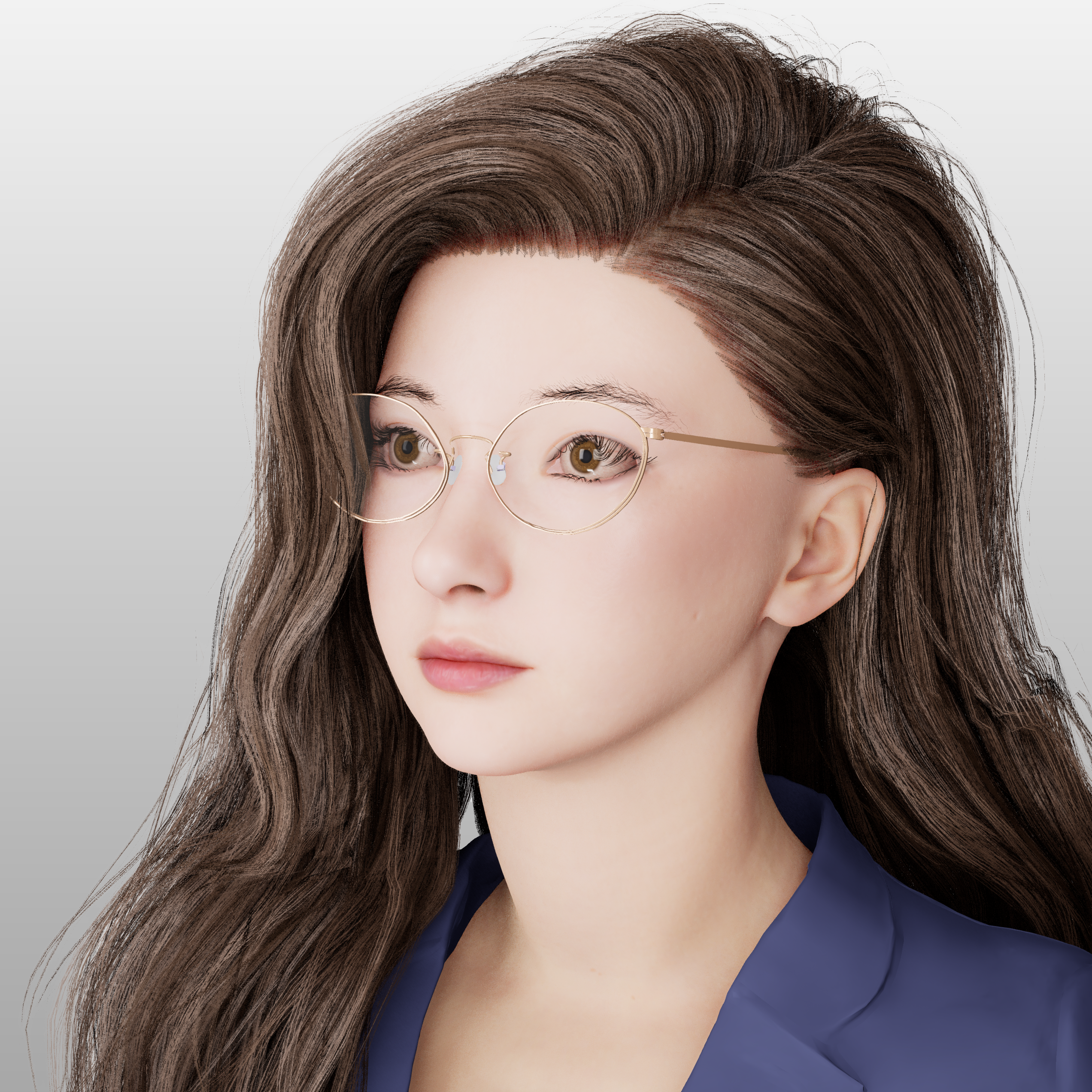
Xiao E is a digital‑twin teaching assistant powered by 3D scanning and AI speech recognition. Xiao E enhances teacher-student AI interaction, offers immersive guidance, answers campus questions, and supports digital campus services.
2. Research & Analysis
Ideation & Thought Development
The early concept for this project began with the idea of creating an intelligent Q&A assistant that could appear on a semi‑transparent display using MetaHuman technology. I wanted this assistant to communicate naturally with students and feel believable enough to be accepted as part of their daily campus experience.
AI‑Driven Interaction: The assistant needed to answer student questions through an AI‑powered dialogue system.
Realistic Appearance: MetaHuman technology was chosen to give the assistant a realistic appearance that students could trust and engage with.
Local Knowledge Base: A built‑in local database ensures the assistant can deliver customized information and speak the content I design for specific educational scenarios.
3. Key Design & Production Process
The production workflow for this project followed a structured pipeline that combined VR interaction design, multiplayer networking, environment creation, visual effects, and asset production.
Head Model & Base Asset Creation
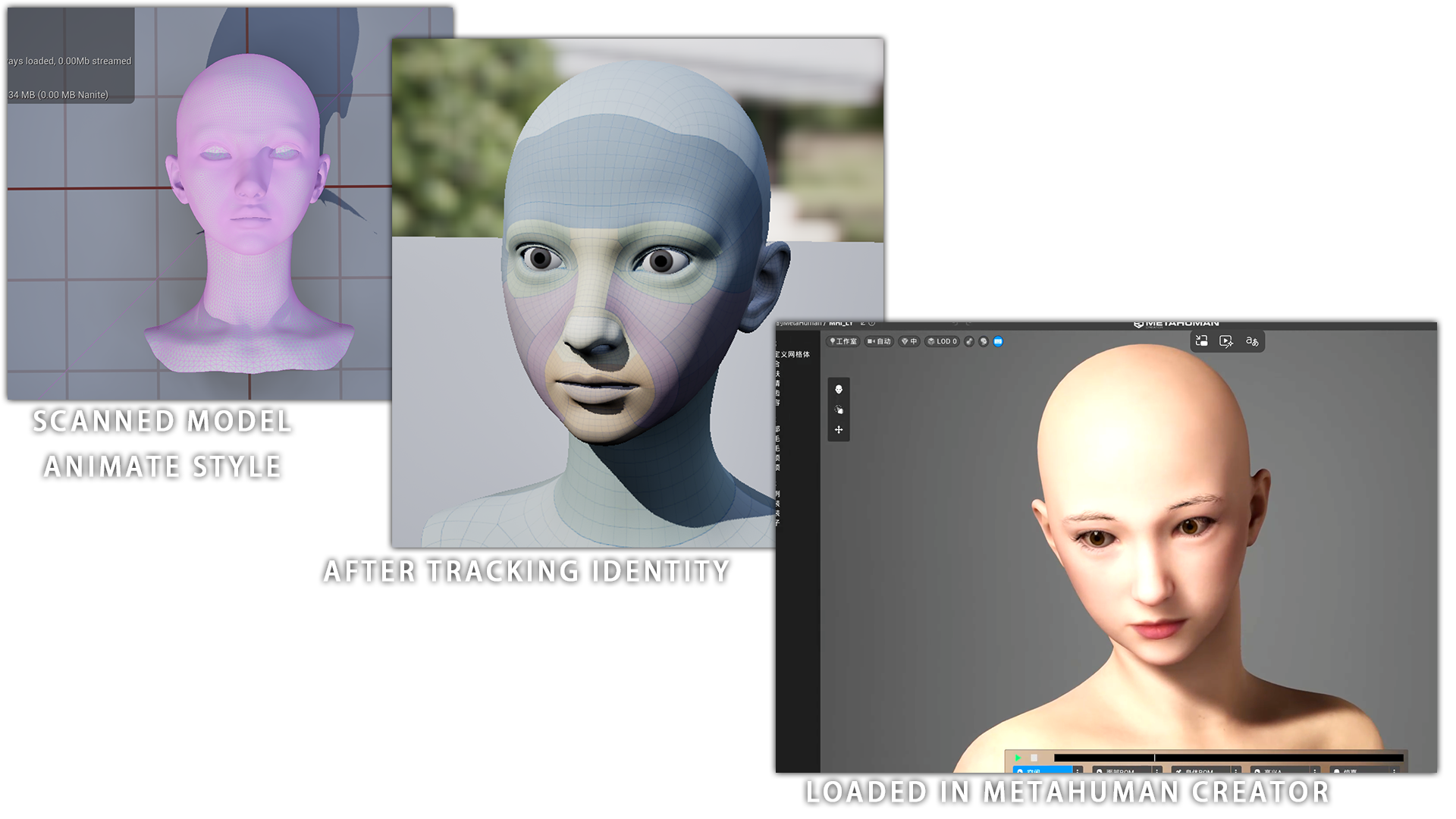
The workflow began with a scanned real‑person face model, which served as the foundation for creating a MetaHuman facial asset with identity‑tracking features in Unreal Editor.
For privacy reasons, I cannot show the RealityCapture screenshots, the main work there involved cleaning the photos and removing model noises. The face model was then further refined into an animated style in Maya.
Inside MetaHuman Creator, the character initially appears without hair, and refinement are completed in later stages.
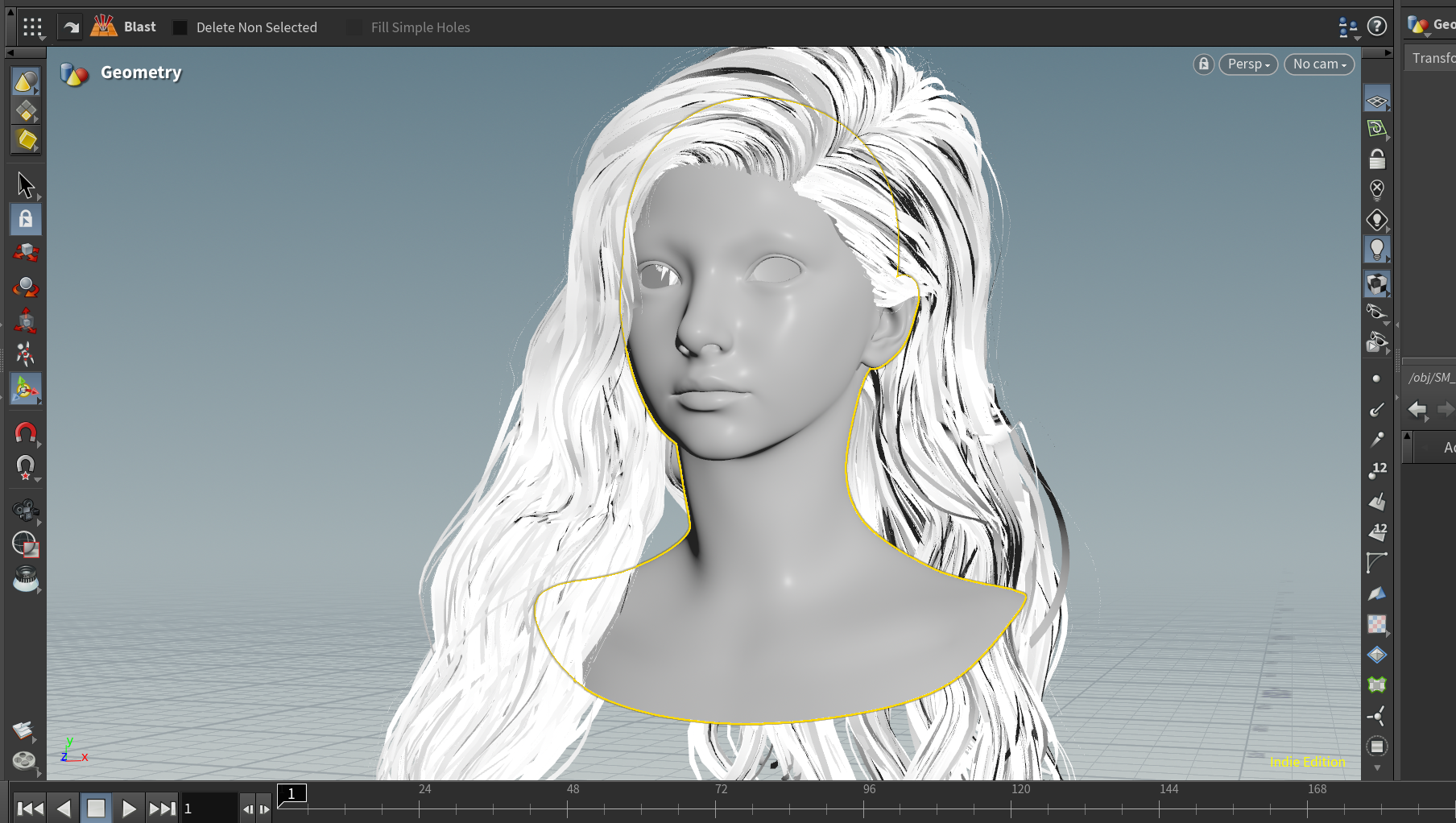
Hair Grooming in Houdini
Hair was crafted using Houdini’s groom system, allowing precise control over powerful hair guidelines. It can also export Hair Card easily. This ensured the final appearance would maintain a natural and well performance in real‑time rendering.
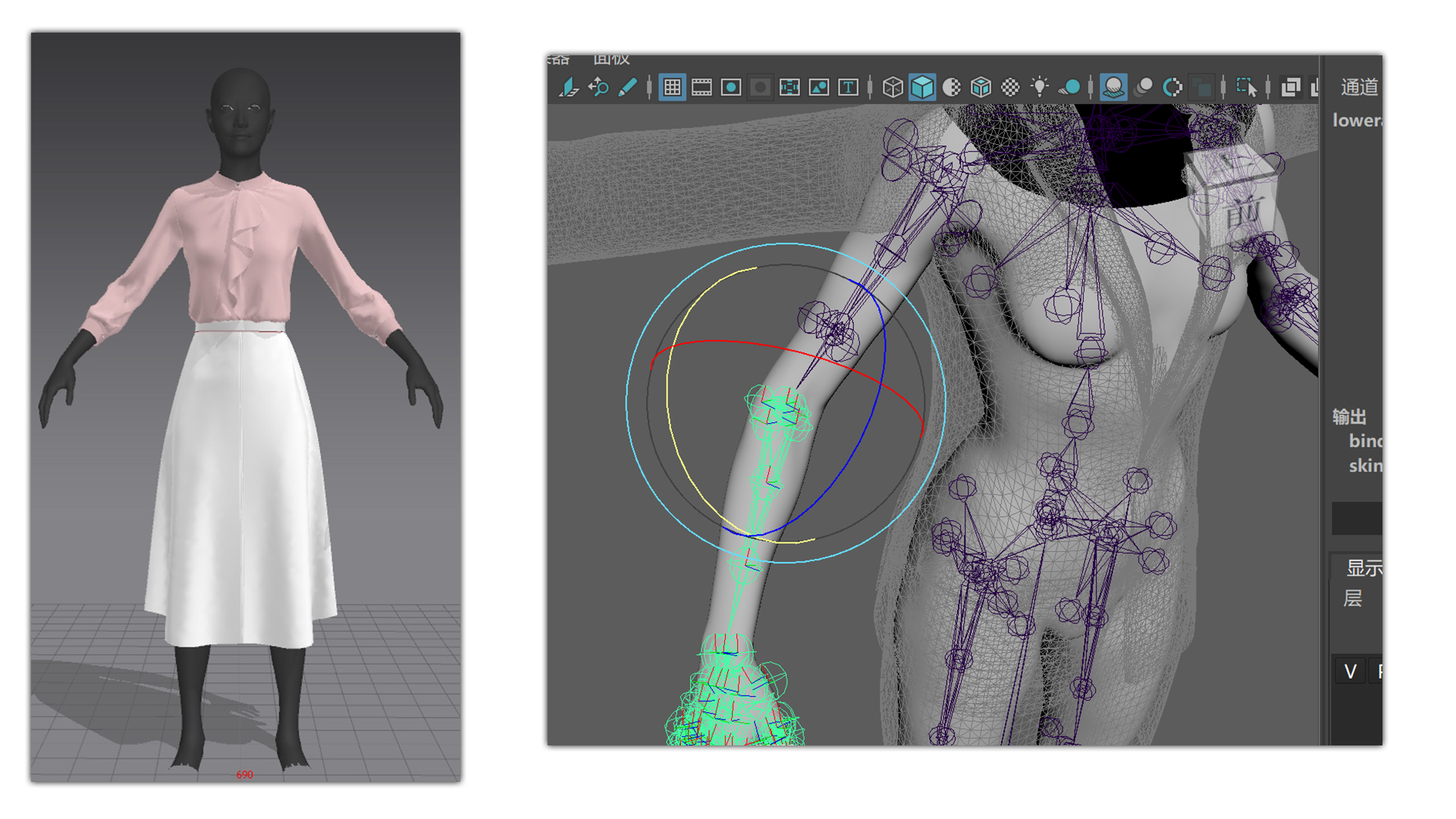
Cloth Creation in MD & Rigging in Maya
Clothing was designed in Marvelous Designer for realistic cloth simulation, then exported to Maya for binding and skin‑weight adjustments.
Note
The clothing shown in the picture is from an earlier time. I also created a digital human before Xiao E.
Assembly in Unreal Engine
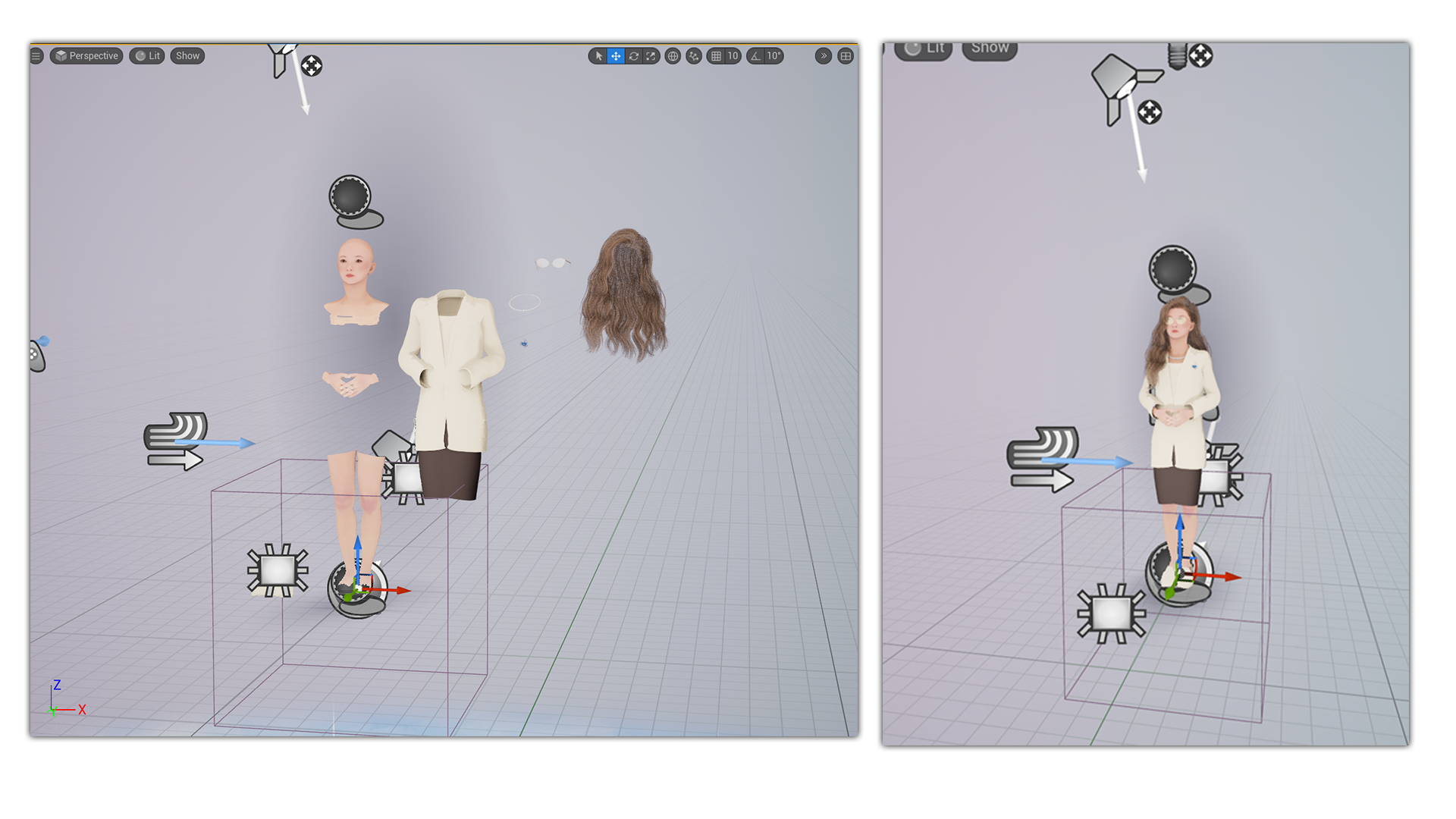
The character’s cloth, body, and hair were composited within Unreal Engine’s MetaHuman workflow. In this workflow, all the component skeletons have to share the same skeleton so they can act in same pose or animation. The torso was omitted for performance optimization while maintaining full visual fidelity for visible regions. For materials, the glasses use Cubemap reflection, and the skin uses flatten normal like an animate style.
Background Material & Mosaic Transition Effect
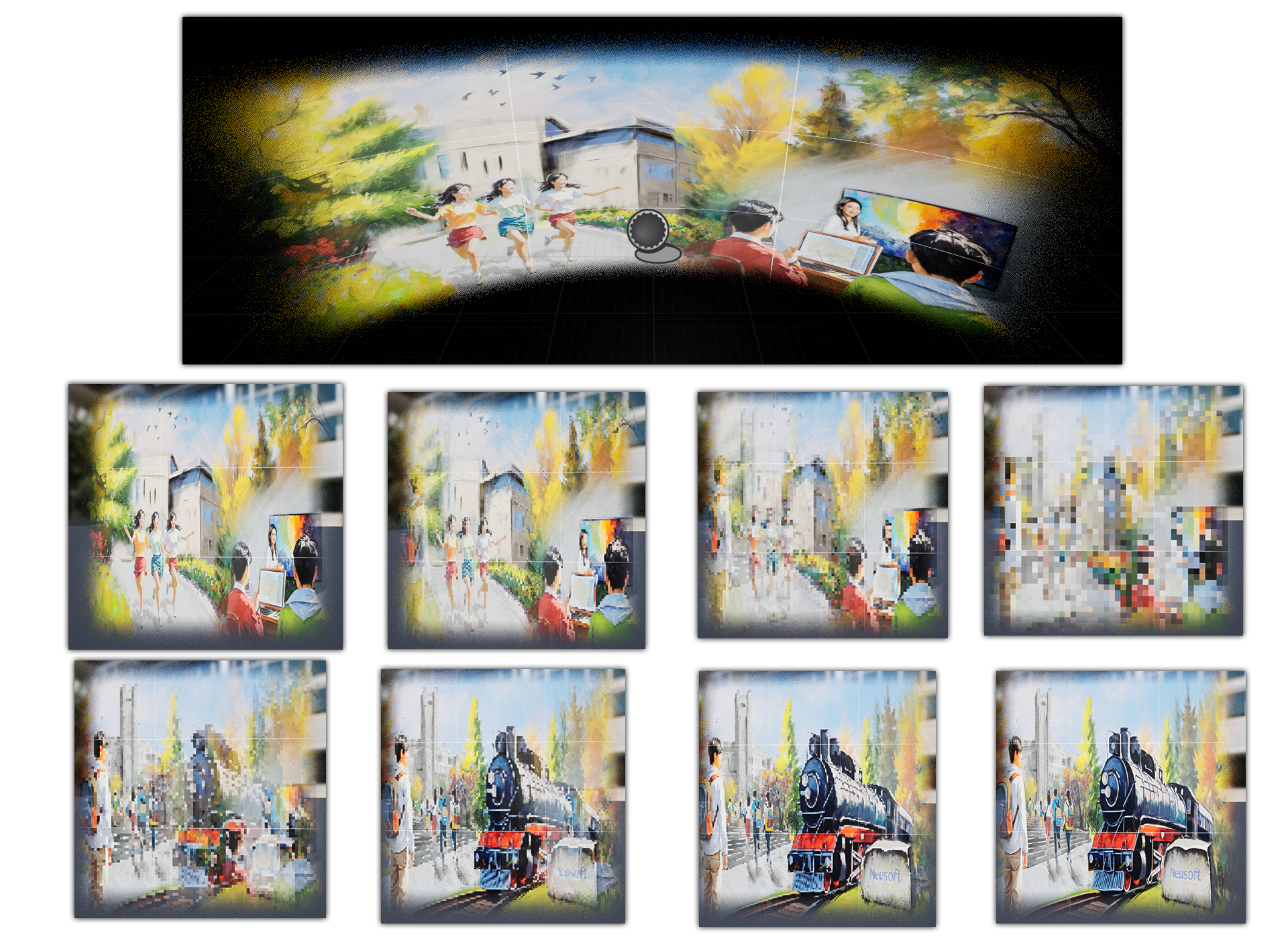
A custom background material was created to transition between two images using a mosaic‑style effect. This was achieved by down‑sampling UV to produce a stylized low resolution and slide from left to right appearance during the transition.
Note
Transition footage can be found on ArtStation.
C++ Integration for AI Communication
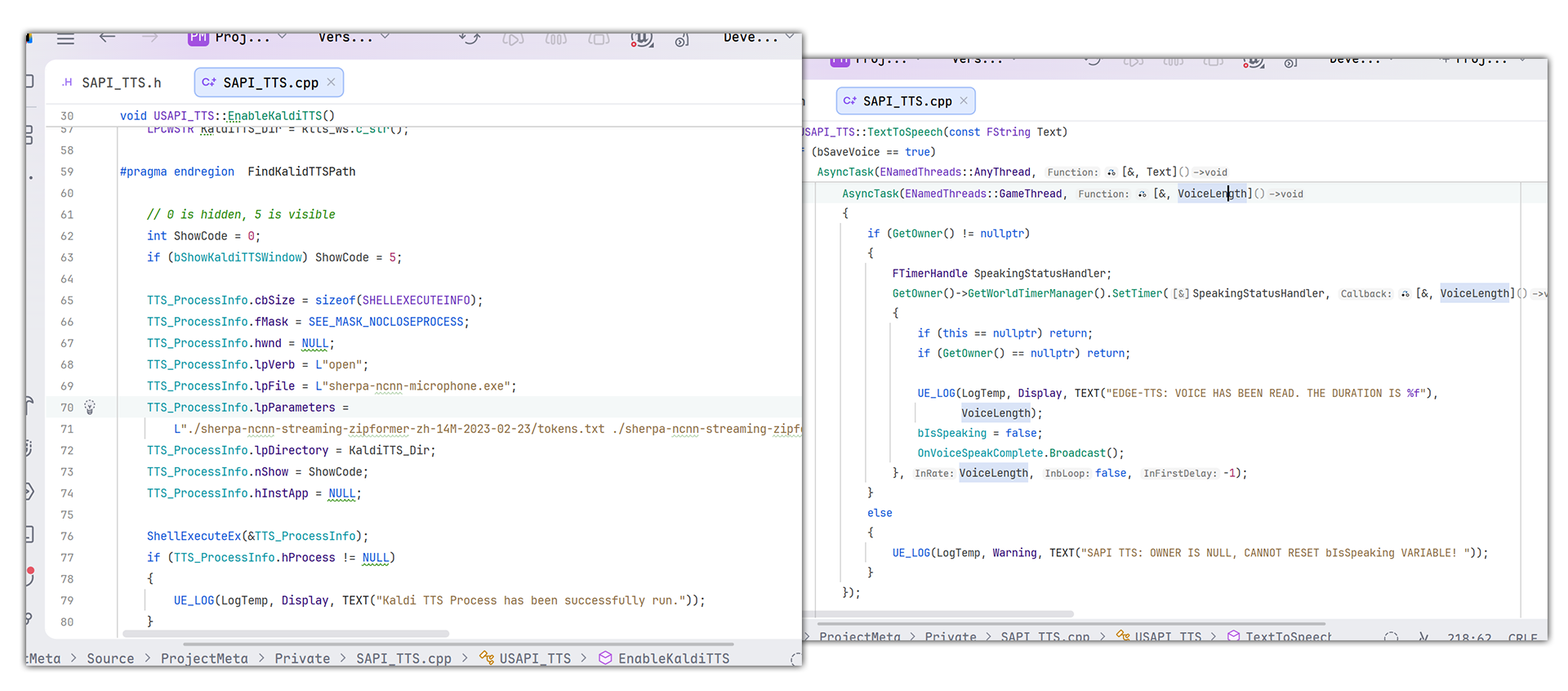
C++ modules were implemented to run Sherpa’s binary with parameters, enabling socket‑based communication between UE and Sherpa. Additional C++ logic handled Edge‑TTS on a separate thread, monitoring downloaded voice files for real‑time playback.
Blueprint Logic for ChatGPT Messaging
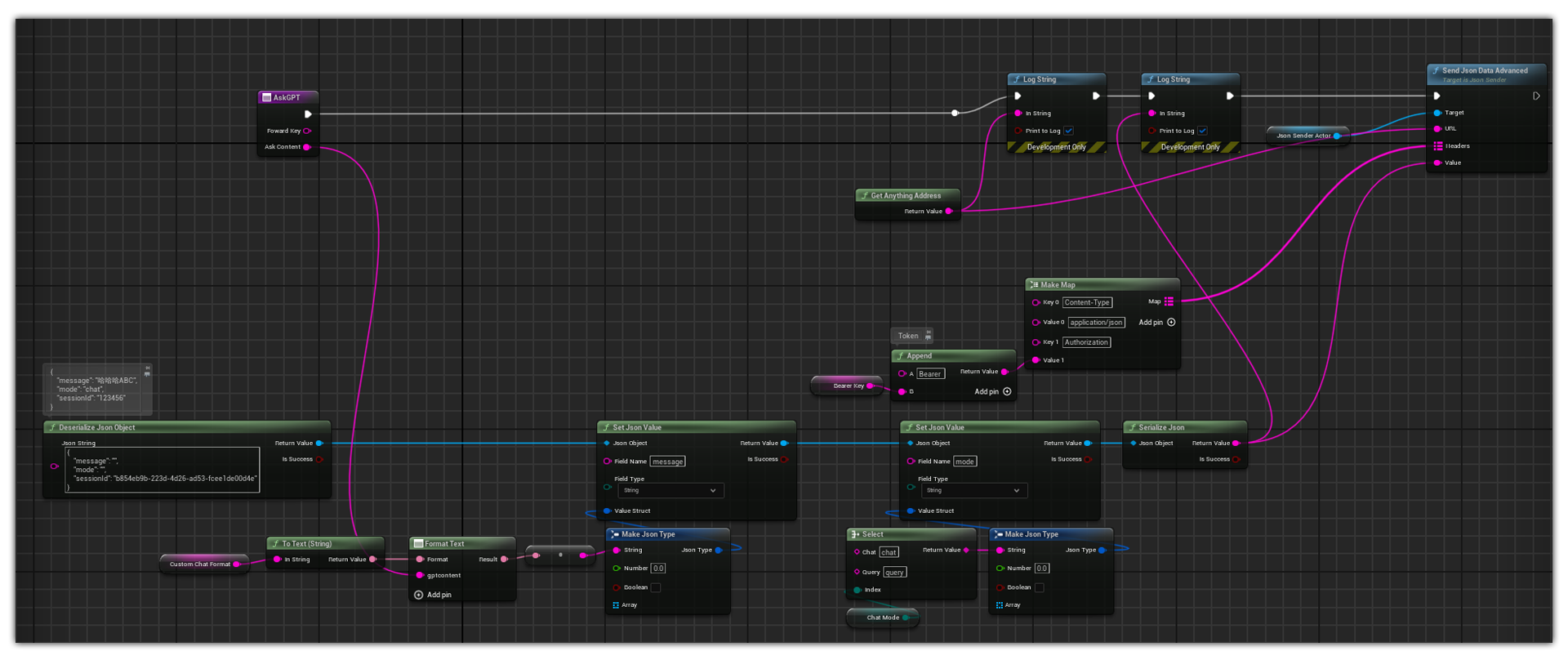
Blueprint scripts were built to send JSON messages through HTTP requests to the ChatGPT backend. The system then awaited responses to drive the assistant’s conversational behavior.
Tip
The HTTP sending function in the image is one of the plugins I created, you can obtain it on Fab.
Audio2Face Streaming Pipeline for Facial Animation
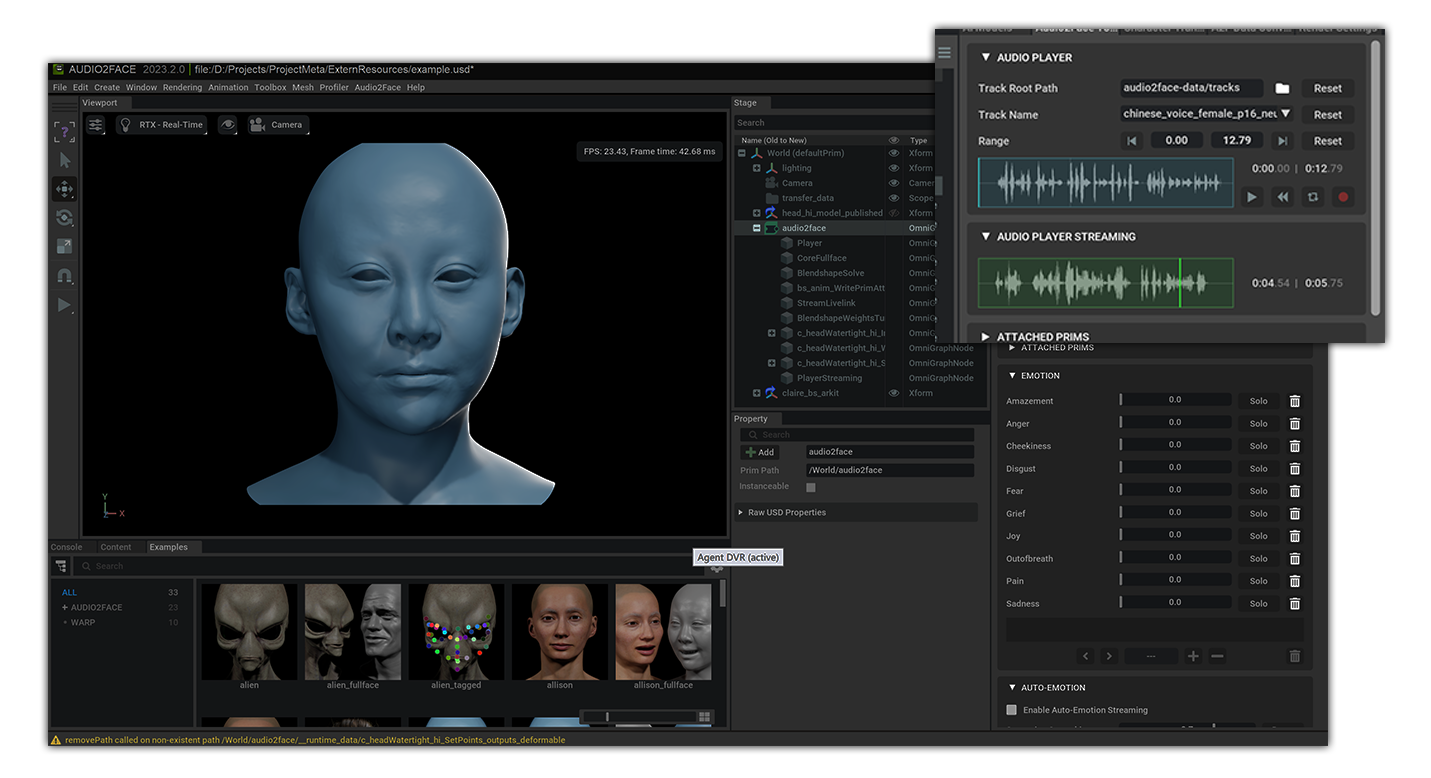
When the UE received a voice file from edge-tts, it will run a Python application to push the voice file into Audio2Face’s streaming pipeline. This will generate real‑time facial expressions for the digital human.
Generate Backgrounds using Fooocus
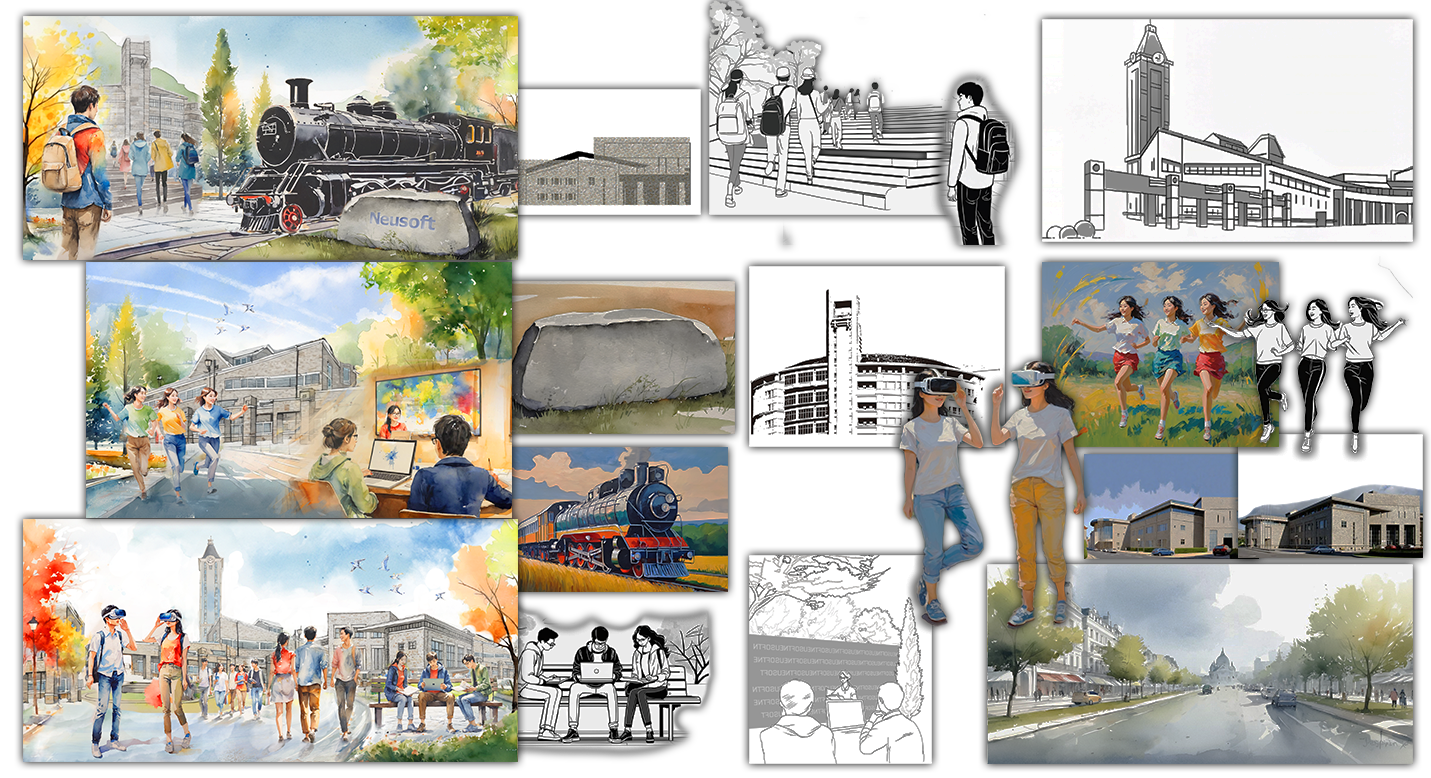
Use Fooocus to generate the images for each element, then composition them in Photoshop.
Note
More detailed information about the paintings can be found at here.
4. Final Outcome
High-Fidelity Results
Online Portfolio: ArtStation (including the video below)
Online Video: YouTube
Note
You can visit all my projects here: ArtStation Profile.